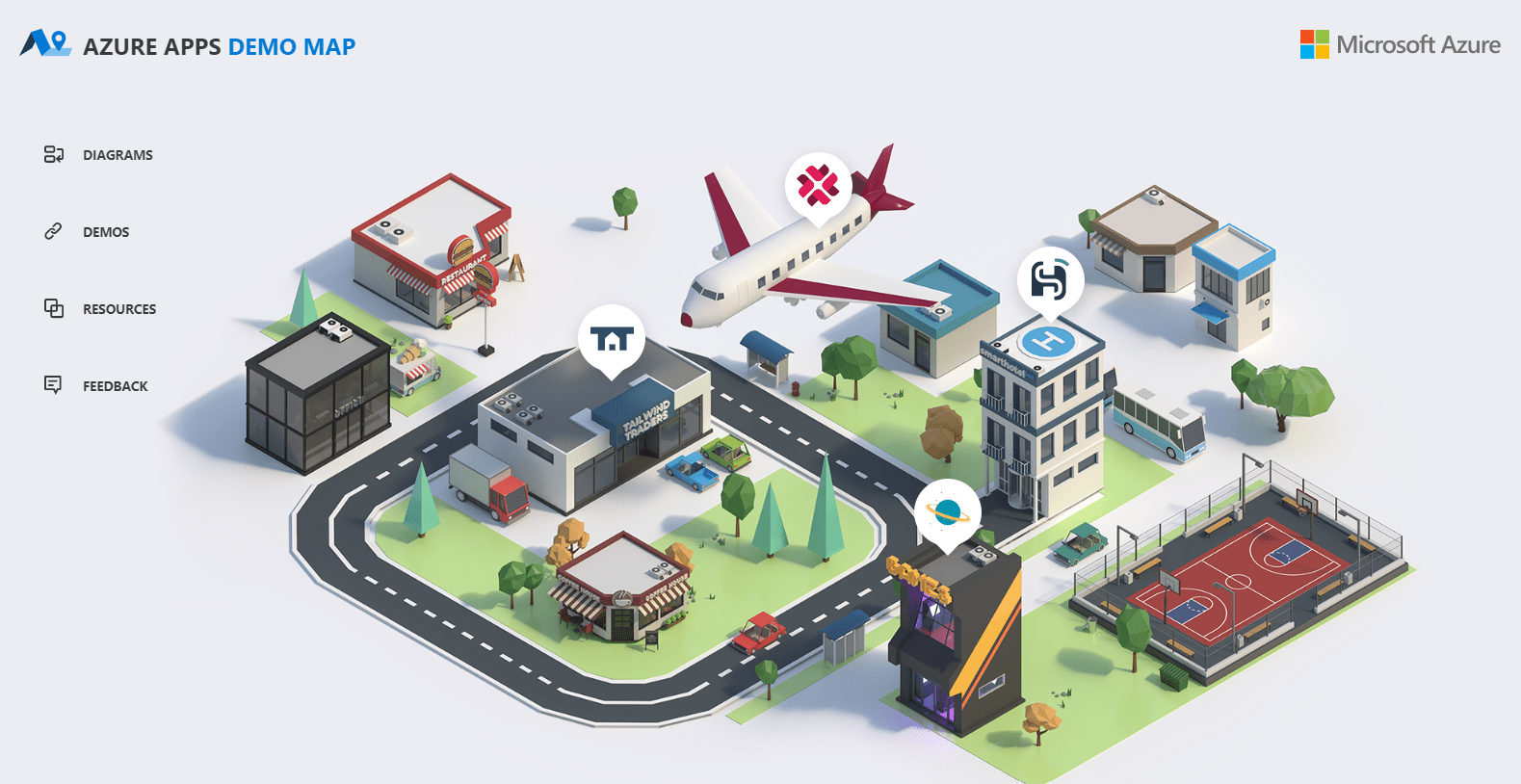
Earlier this week I noticed that Microsoft launched the Azure Apps Demo Map website, a centralized way to see a some awesome resources available by Microsoft for building enterprise applications that leverage Azure technologies..
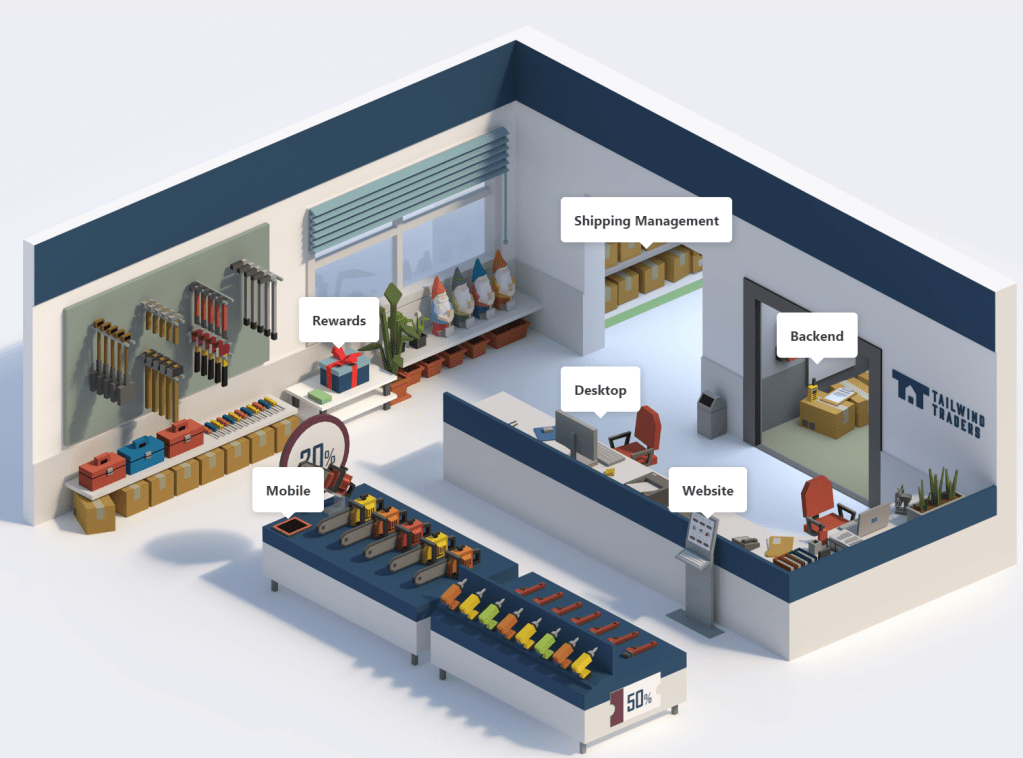
Most of the scenarios include an interactive user experience to explore the solution – including solution diagrams, live demos, source code and additional resources.
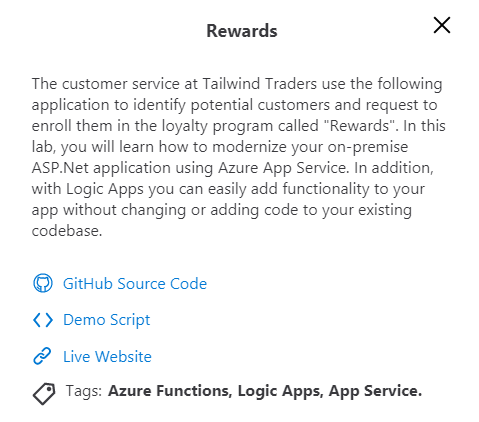
When exploring a scenario you can click on sections to see what technologies were used for that particular application. In the case of the Rewards application, it uses Azure Functions, Logic Apps, and App Service.
After exploring the interactive model you can head over to the GitHub project to download and run the code so that you can dig really deep in how the solution was built.
Let’s take a brief look at each of the projects.
Projects
Currently the Azure Apps Demo Map contains four applications as listed below.
Tailwind Traders
Tailwind Traders is a fictitious retail company showcasing the future of intelligent application experiences. These reference apps are all powered by the Azure cloud, built with best-in-class tools, and made smarter through data and AI.
SmartHotel360 is a fictitious smart hospitality company showcasing the future of connected travel. Their vision is to provide an intelligent and personalized experience to the guests.
The geek version of the classic game. This sample shows a multilanguage application running on AKS with a front-end developed in Blazor and integrated with Azure Machine Learning and Azure Cognitive Services. Start the battle and find if you can beat our bot! VISIT PROJECT
Contoso Air is a fictitious airline company. This lab shows how to create a website application that runs Node.JS Server that stores customer booked flights in an Azure Cosmos DB.
Unfortunately this project has no diagram and has been archived. However this project still contains valuable information for building a Node.JS + Cosmos DB application and running it on Azure.
This is a great resource to learn how Azure can be used for an end to end solution for your business.
They have a feedback link so if you found the resource useful or you have suggestions please let them know. It would be cool to see this resource be expanded to include other applications that include Power BI, Power Apps, Azure DevOps, Dynamics, etc.
Add features flags to your application using Feature Management
Comparison of two sets of configurations
Restoring to a previous configuration
Using Azure App Configuration in your Azure DevOps Pipelines
In this post I’ll walk through what is Azure App Configuration and how to get started using it in your applications, whether their on-prem or in the cloud.
What is Azure App Configuration?
Before we get started with Azure App Configuration lets first look at what is it. Microsoft docs explains it as follows…
Azure App Configuration provides a service to centrally manage application settings and feature flags.
Azure App Configuration helps you manage application settings and control their access centrally. It’s built on the simple concept of key-value pairs, and this service provides manageability, availability, and ease-of-use.
With modern programs, especially programs running in a cloud, you have many components that are distributed in nature. Spreading configuration settings across these components can lead to hard-to-troubleshoot errors during an application deployment. One key recommendation from the Twelve-Factor App guide is to separate configuration from code.
By leveraging Azure App Configuration to store all the settings for your application and secure their accesses in one place, you can simplify your deployment tasks and eases the burden of dealing with permutations of configurations created by multiple applications, dependencies, and environments.
Let’s get started!
Prerequisites
Before we can begin you need to make sure you have the following installed and setup:
An Azure Subscription. If you don’t have an Azure Account, you can sign up for one today for free and receive $200 in credits by selecting “Create a Free Azure Account…” or selecting “View->Command Palette” and searching for “Azure: Create an Account”
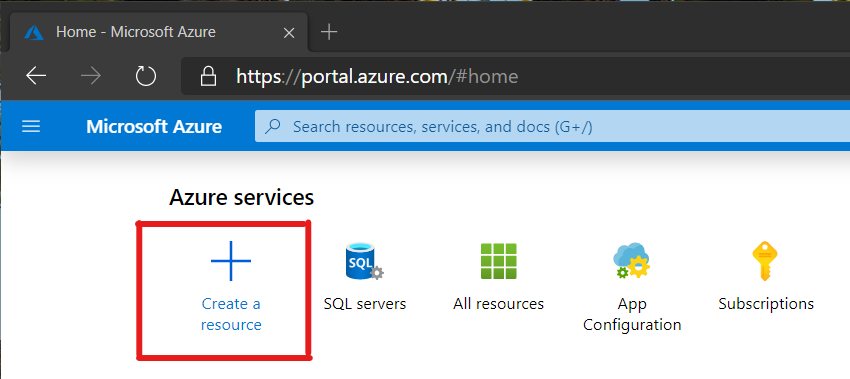
Login to your Azure portal at https://portal.azure.com and click on the Create a resource link as shown here:
Next in the search field type ‘app configuration’ and press ‘Enter’. Then click on the Create button to create your Azure App Configuration. Currently this service is in preview but should be generally available soon.
When setting up your Azure App Configuration you will need to specify a few settings like Resource Name, Subscription, Resource Group, Location and Pricing Tier. Here is the resource that I’ll be setting up:
Now click on the Create button to have your resource created, which typically takes a minute or two. You will be notified in the Notifications area of the portal when your resource is ready.
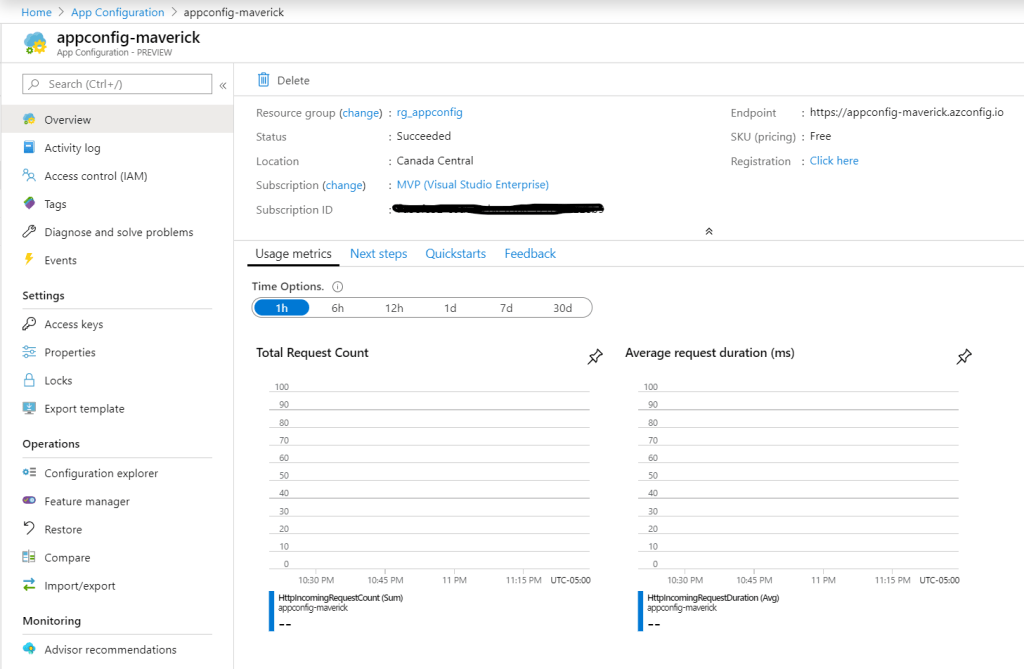
Once your Azure App Configuration is created, navigate to it and you will see the following overview page that shows you your Endpoint for accessing your configurations along with other resource information.
Azure App Configuration overview
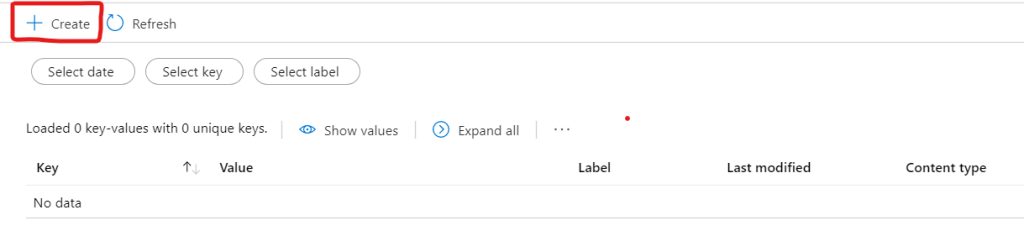
Now navigate to the Configuration explorer to start creating configurations values. Click on the Create button and select Key-value.
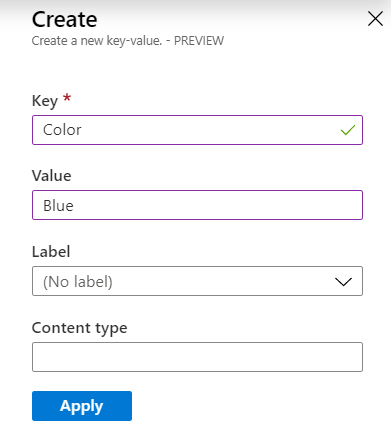
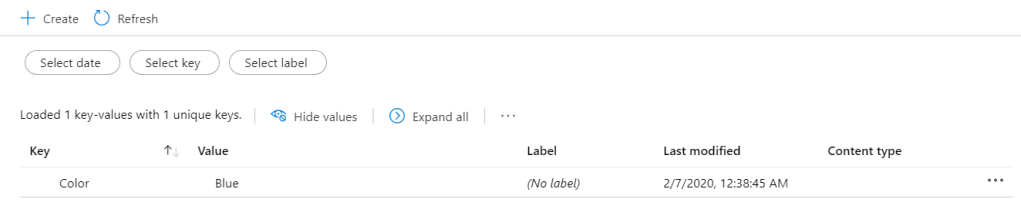
Now create a simple configuration called ‘Color’ and give it a value of ‘Blue’ and click Apply.
In order to access your configurations you will need your connection string and key. Navigate to the Access keys section to view your keys and connection string information.
Supported Platforms
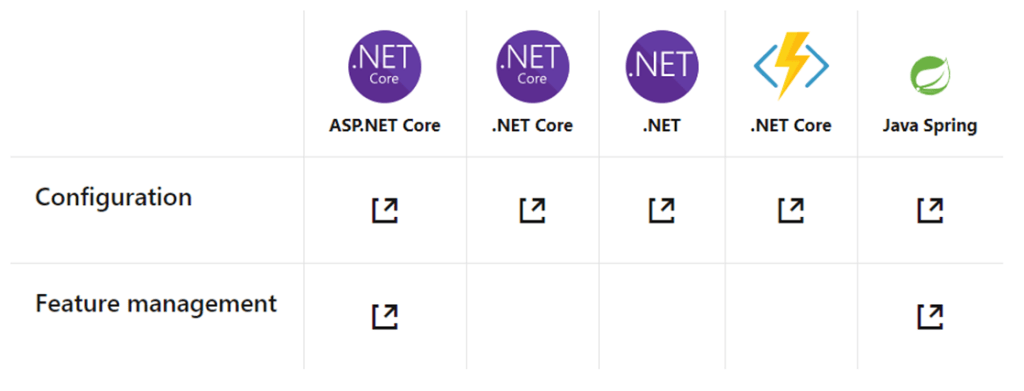
At the time of this writing, Azure App Configuration provides configuration support for ASP.NET Core, .NET Core, .NET Framework, Azure Functions in .NET Core, and Java Spring. For Feature Management, it supports ASP.NET Core, .NET Framework, and Java Spring.
Pricing and General Availability
Earlier this week the Azure App Configuration team announced that Azure App Configuration would be made generally available on February 19, 2020.
Initially there will be two types of plans, Free and Standard. Until February 19 both plans will continue to be free, and after February 19 all plans will be migrated to the Free plan. You can choose to stay on this plan or upgrade to the Standard plan. Pricing has remained unchanged from a previous post and will commence on February 19.
Free
Standard
Resources per subscription
1
Unlimited
Storage per resource
10 MB
1 GB
Key history
7 days
30 days
Requests per day
1,000 (HTTP status code 429 will be returned for all requests once the limit is reached)
Unlimited (First 200,000 included in the daily charge. Additional requests will be billed as overage)
SLA
None
99.9% availability
Security functionality
Encryption with Microsoft-managed keys HMAC or AAD authentication RBAC support Managed identity
All Free tier functionality plus: Encryption with customer-managed keys Private Link support
Cost
Free
US$1.20 per day, plus any overage charge at US$0.06 per 10,000 requests
Azure App Configuration pricing plans
Wrap-up
Azure App Configuration is a managed service that helps developers centralize their application and feature settings simply and securely.
I’ve been using it in my applications for the last few months and I love how easy it’s been to incorporate into my applications. I’m really excited that Azure App Configuration is nearing general availability later this month and I’m looking forward to what’s coming next, namely around Feature Management as this is still a simple offering and it will be nice when it’s available on more frameworks.
In my next post I’ll walk through in more detail about how you can import/export your configurations, compare them over time and use labels to filter certain values.
The all-new API Management developer portal lets you effortlessly publish your APIs. It’s customizable, lightweight, and intuitive.
In this episode of Azure Friday, Mike Budzynski joins Scott Hanselman to show how to publish your APIs with the new developer portal in Azure API Management.
In this episode of the Cloud Native Show, Shayne Boyer sits down Steve Lasker to discuss about registries and more specifically Azure Container Registry and the practices around using them for your applications.
Back at Microsoft Ignite, it was announced that the Global Azure Bootcamp was going to be rebranded to Global Azure and run across 3 days from Thursday April 23 to Saturday April 25.
This is the same great event but only better. Organizers now have the freedom to host one or more events across the 3 days. All around the world user groups and communities want to learn about Azure and Cloud Computing and providing the community flexibility in terms of when they can host an event or how many events is a win.
Global Azure is the biggest community event about the Microsoft Azure platform.
Global Azure
The hashtag remains the same #globalazure, and be sure to checkout the new website at https://globalazure.net and keep an eye out for more details.
https://ift.tt/2Sx1FQn The year 2019 is almost over, and usually, we take the time to look back at the year and also to find some New Year’s resolutions for the new year. Why not take all that energy and prepare for the cloud computing era and advance your career by learning Microsoft Azure. In this post, […]
As things start to wind down for the end of the year and we take a break from work to be with family and friends, you might start to think about resolutions for 2020. If one of your resolutions is to learn Azure then now is the best time to do so.
Here are some community resources to help you get started:
Create a free Azure account: You can sign up with a Microsoft or GitHub account and get access to 12 months of popular free services, a 30-day Azure free trial with $200 to spend during that period and over 25 services that are free forever.
Free Developer’s Guide to Azure eBook: a free eBook that includes all the updates from Microsoft’s first-party conferences (Build, Ignite), along with new services and features announced since then.
Microsoft.Source Newsletter where you can get the latest articles, documentation, and events from the developer community
Azure weekly, a great way to keep up to date with what’s new each and every week
Microsoft Learn – Azure fundamentals course. If you’re interested in the cloud, but aren’t quite sure what it can do for you? This path is the place to start.
Azure documentation is the most comprehensive and current resource you’ll find for all of our Azure services.
December 1st sparks the start of Microsoft’s 25 days of serverless challanges. Each day throughout the month of December a new challenge will be published from the Microsoft Cloud Advocates. Your goal is to solve it in the programming language of your choice and then submit your solution via GitHub.
If you don’t know anything about Azure or serverless then no problem. Each challenge will provide hints to get your started
The Premise
Oh no! An evil grinch has stolen all of the world’s servers! Travel around the world helping everyone replace their current solutions to common tasks with serverless technology in time for the holiday rush.
Each day’s puzzle will bring you to a new location somewhere in the world! You’ll be helping local folks in that location with some problem they have, showing how moving to serverless can help things get done! Each day’s puzzle will bring you to a new location somewhere in the world! You’ll be helping local folks in that location with some problem they have, showing how moving to serverless can help things get done!
In this episode of Azure Friday, Aman Bhardwaj and Yaron Schneider join Scott Hanselman to talk about the actor model of Distributed Application Runtime (Dapr). Dapr is a portable, event-driven runtime that makes it easy for developers to build resilient, microservice stateless and stateful applications that run on the cloud and edge and embraces the diversity of languages and developer frameworks.










 The Flying Maverick