Last week, on December 4th, I presented at the Metro Toronto Azure Community meetup, discussing Microsoft’s announcements for Azure IoT Operations (AIO) at Ignite 2025. It was a fantastic evening — fellow MVPs Cliff Agius, Sander Van De Velde, Pete Gallagher, and Jose Simoes also took the stage with their own sessions on various Azure IoT topics.
IoT is a hobby interest of mine, so I genuinely enjoy keeping an eye on what’s happening in this space. When the Ignite announcements dropped, I was already deep in the details, which made putting the session together a lot of fun. This post is the written companion to that talk — a handy reference if you attended and want to revisit anything, or a full walkthrough if you missed it.
What is Azure IoT Operations?
If you’re new to Azure IoT Operations, let me give you a quick grounding before we jump into the announcements. AIO is AI-ready infrastructure for intelligent, adaptive operations. I describe it as more than a data pipeline — it serves as the foundation for integrating AI into the physical world. It enables systems that can perceive, reason, and act, which is precisely what modern industrial environments need to drive real operational efficiency.
What makes AIO stand out:
- Built on Arc-enabled Kubernetes, ensuring a consistent management plane whether you’re on-premises, at the edge, or in the cloud
- Unifies OT and IT data across distributed sites — effectively breaking down those frustrating silos between operational and business systems
- Provides a repeatable, scalable platform that you can deploy across sites without starting from scratch each time
- Extends familiar Azure management concepts to physical locations, which is significant for teams that are already acquainted with Azure.
Ignite 2025 Announcements at a Glance
The Ignite 2025 announcements for Azure IoT Operations are centered on three significant themes:
- New edge-to-cloud orchestration capabilities
- Tighter integration with Microsoft Fabric and Foundry
- AI-driven observability and governance tools
Let’s explore each of the specific features that were announced.
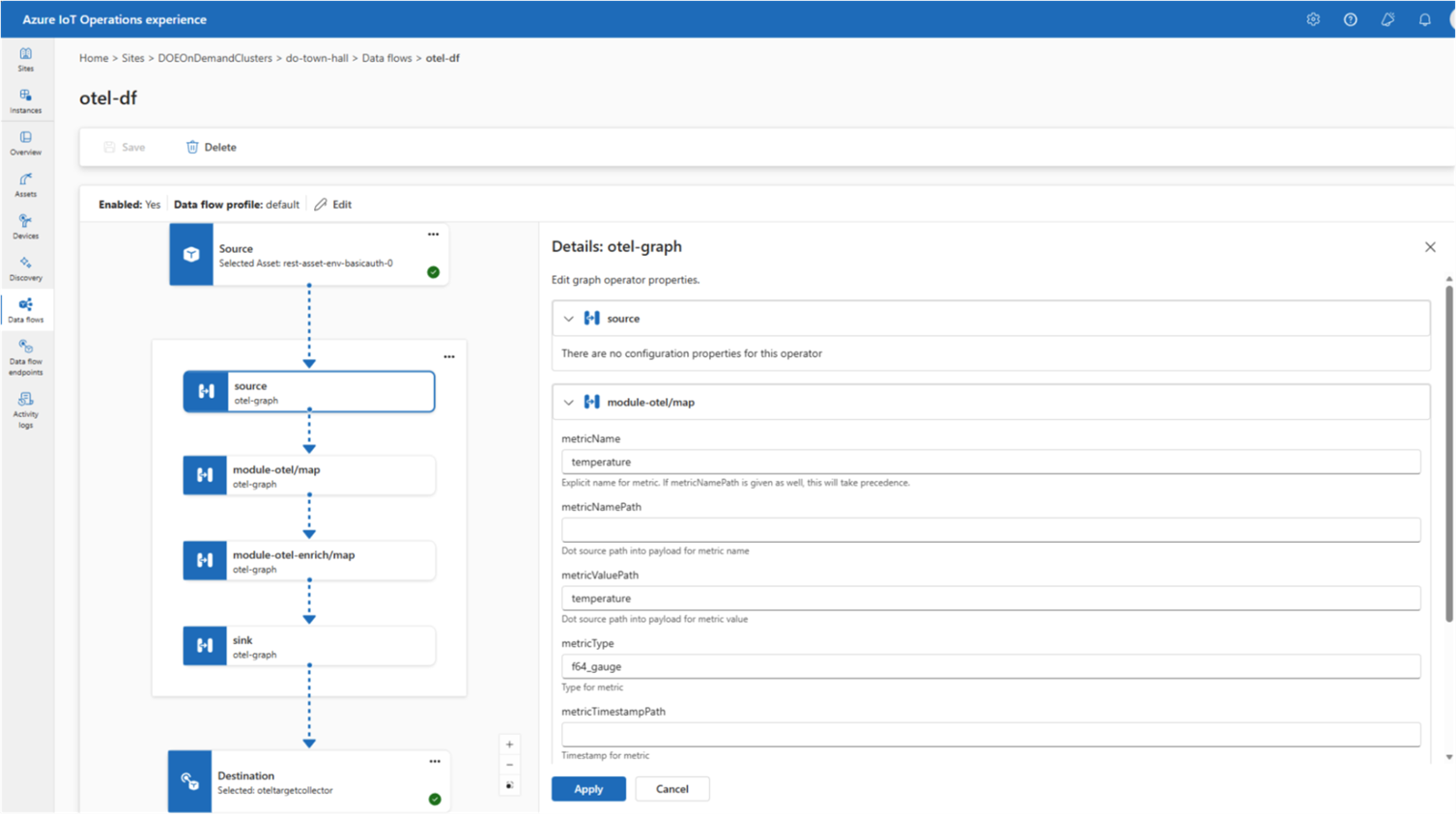
Wasm-Powered Data Graphs
Azure IoT Operations now supports WebAssembly (Wasm)-powered data graphs, delivering fast, modular analytics right at the edge — eliminating the need to round-trip data to the cloud to get a decision back.
Wasm’s lightweight, sandboxed execution model is a natural fit for edge environments where compute is constrained, and every millisecond of latency matters. The modular nature of data graphs allows you to compose them from reusable pieces and deploy them consistently across diverse hardware profiles. For industrial scenarios requiring near real-time responses, this represents a significant advancement.
Expanded Connector Support
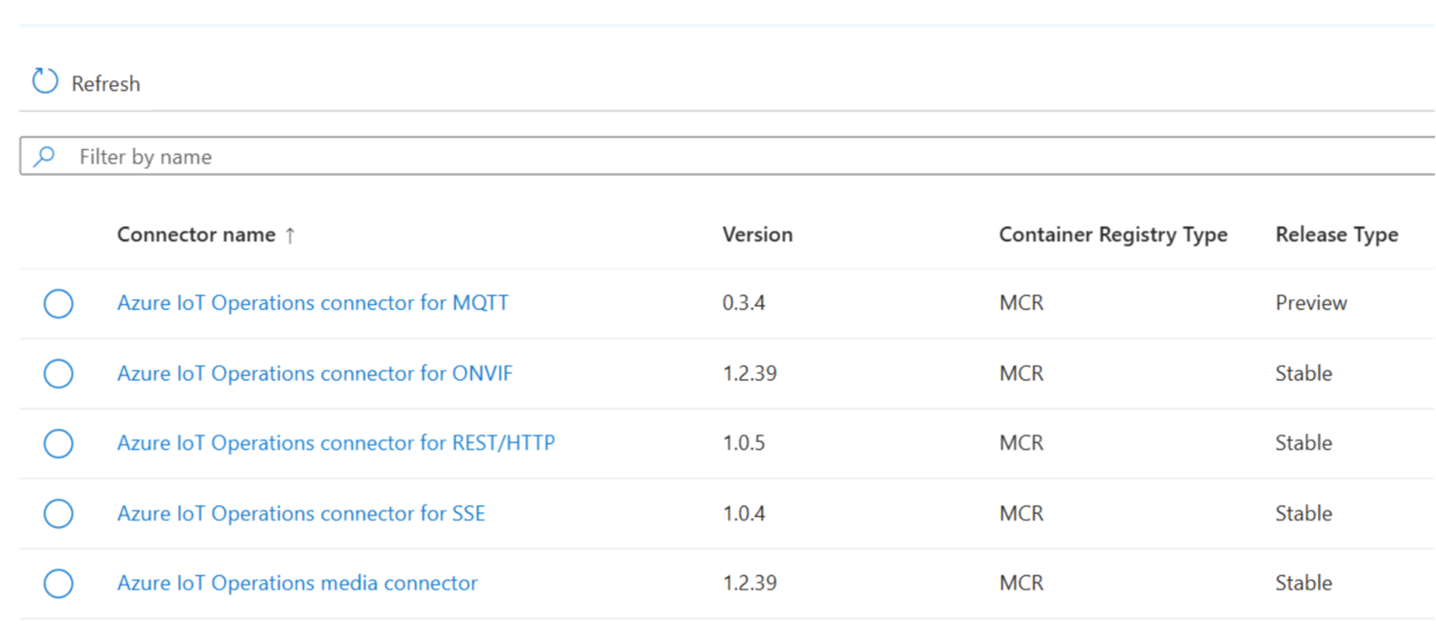
This release expands the connector library significantly. The newly supported connectors include:
- OPC UA: Industrial automation and SCADA systems
- ONVIF: IP-based physical security cameras and devices
- REST/HTTP: General-purpose web API integration
- Server-Sent Events (SSE): Real-time event streaming from HTTP sources
- Direct MQTT: Lightweight pub/sub messaging for IoT devices
This expanded set is a big deal for organizations that need to bridge industrial OT environments with modern IT systems without building custom middleware for every integration.
Data Flows Now Support OpenTelemetry
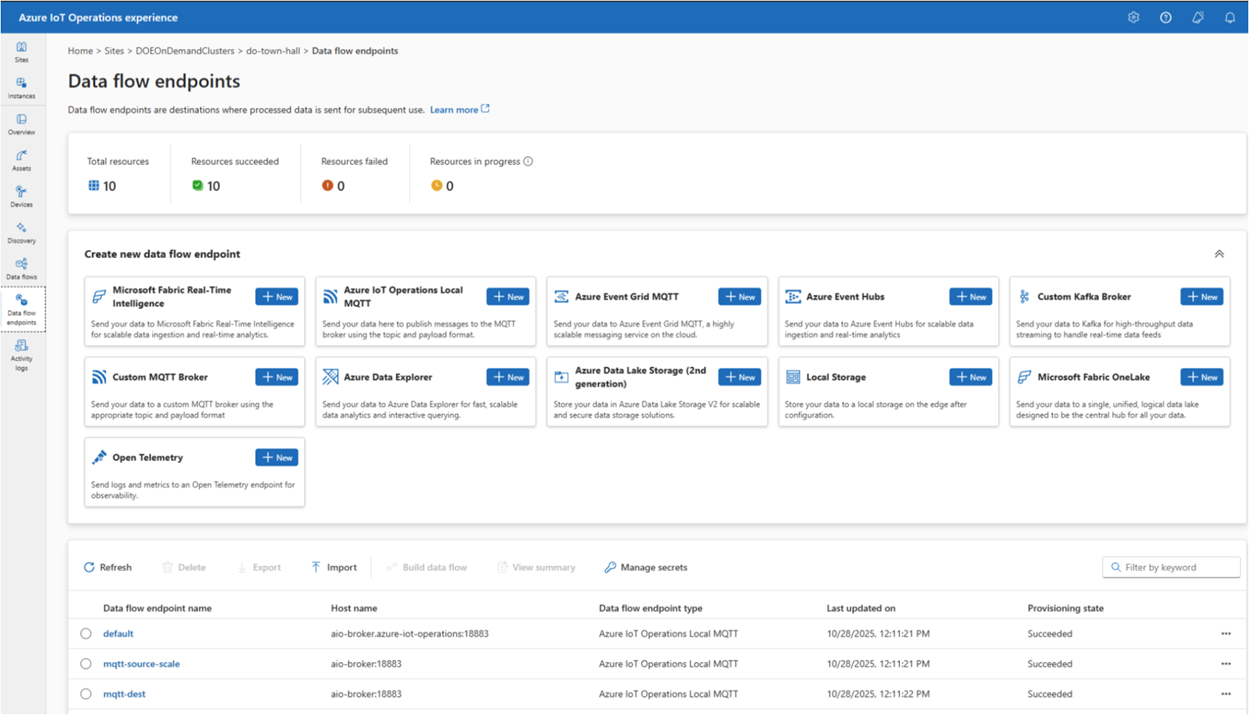
This is one of those updates that might not make headlines, but practitioners will appreciate it immediately. AIO data flows now include native OpenTelemetry (OTel) endpoint support.
OpenTelemetry has become the de facto standard for distributed tracing, metrics, and logging across the industry. Having AIO speak OpenTelemetry natively means you can route telemetry from edge devices directly into whatever observability platform you’re already using — Azure Monitor, Grafana, Datadog, you name it — without any additional transformation layers. Cleaner pipelines, less glue code.
Device Support in Azure Device Registry
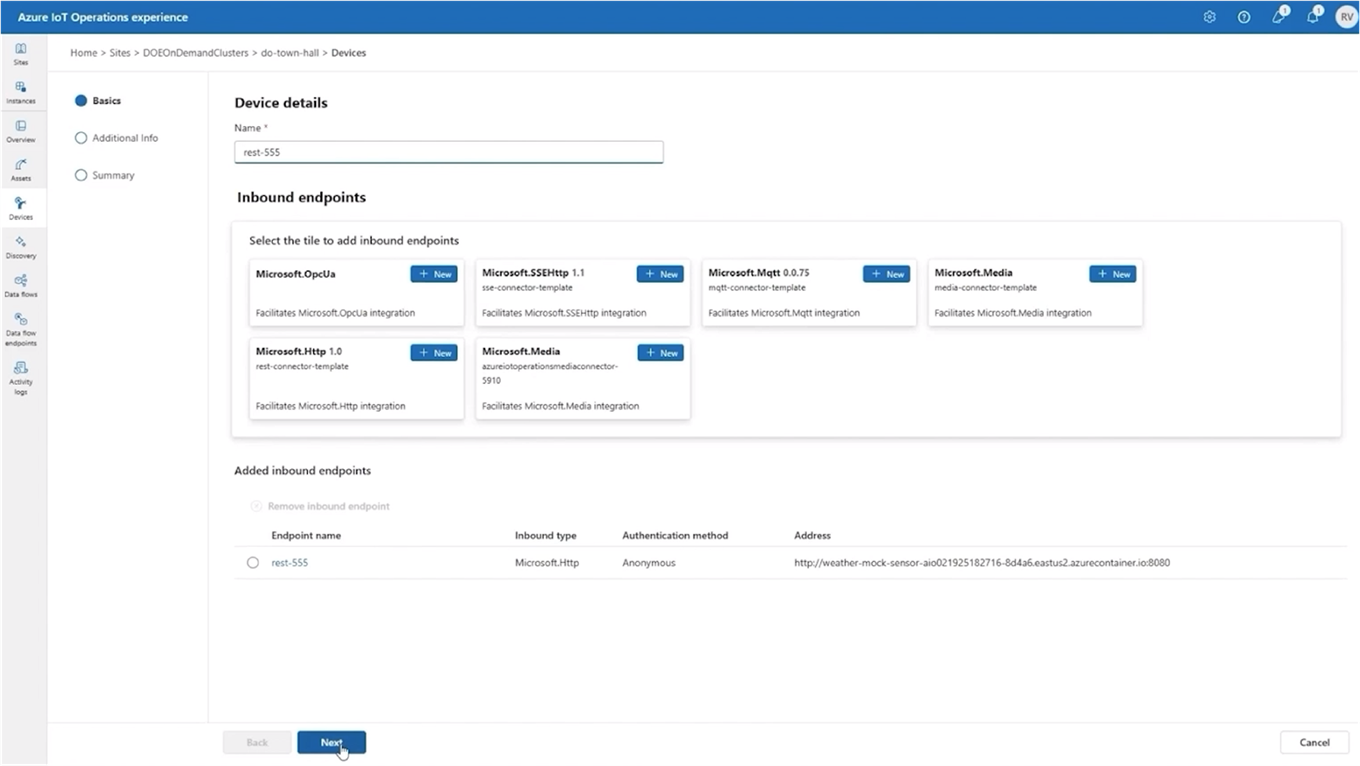
Azure Device Registry (ADR) got a meaningful upgrade here: devices are now treated as first-class resources within ADR namespaces.
In practice, this means:
- You can logically isolate devices within namespaces — critical for multi-tenant or multi-site deployments where you need clear boundaries
- RBAC can be applied at scale, so the right teams get the right level of access to the right devices without ad hoc workarounds
- Device management now aligns with the same resource model used everywhere else in Azure, which makes governance much more consistent
Automatic Device and Asset Discovery
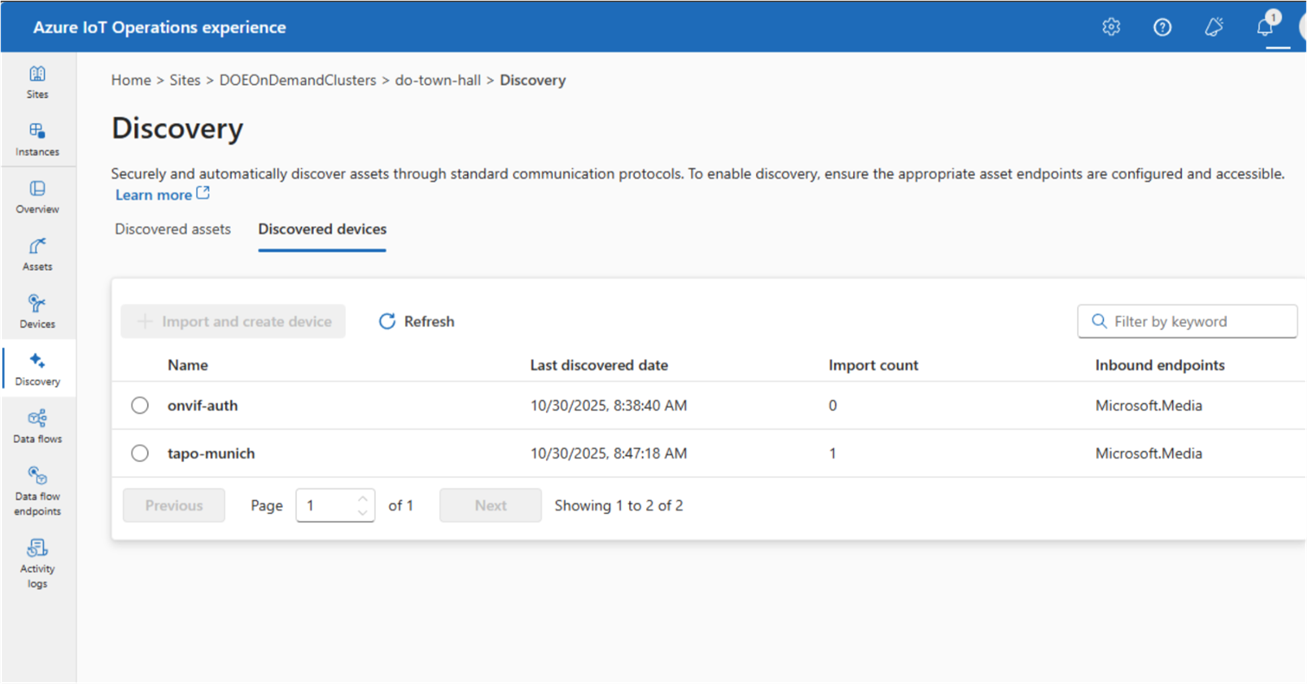
If you’ve ever had to manually provision devices across a large factory floor, you know how painful it can be. This announcement addresses that head on. AIO now includes Akri-powered automatic discovery and onboarding:
- Continuously detects devices and industrial assets that appear on the network
- Automatically provisions and onboards newly discovered devices
- Gets telemetry flowing with minimal manual setup
For large-scale deployments, this can dramatically compress rollout timelines and free up your team from repetitive provisioning work. It’s the kind of operational improvement that compounds over time.
Microsoft Named a Leader in the 2025 Gartner® Magic Quadrant
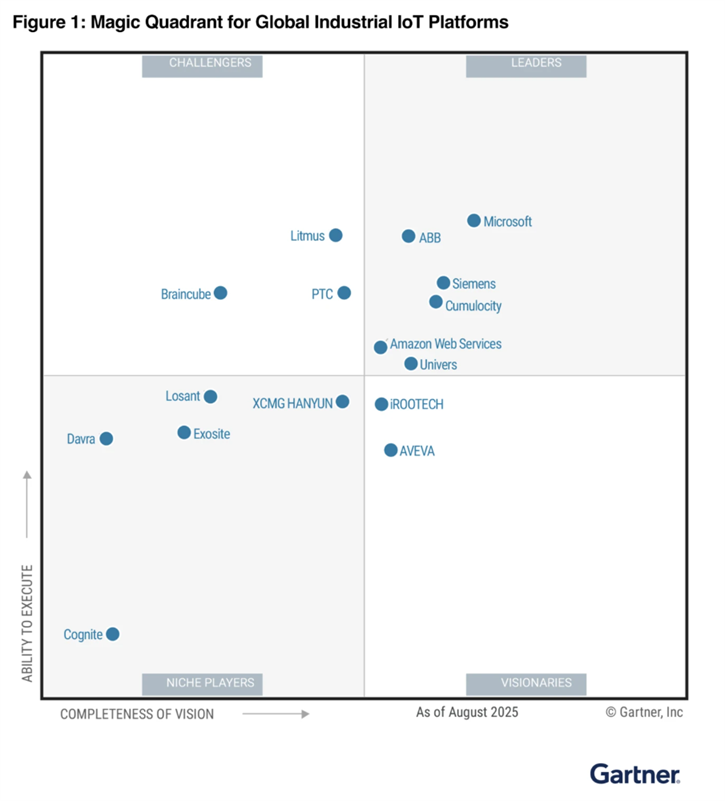
I want to close the announcements on a high note. At Ignite 2025, Microsoft shared that it had been named a Leader in the 2025 Gartner® Magic Quadrant for Global Industrial IoT Platforms. As someone who works closely in this space, I think this recognition is well-deserved and reflects how much AIO has matured as a platform over the past couple of years.
Summary
Azure IoT Operations is moving fast, and the Ignite 2025 announcements show that Microsoft is serious about making it the go-to platform for intelligent, AI-driven operations at the edge. From Wasm-powered analytics and a broader connector library, to native OTel support and automated device discovery, there’s something here for nearly every team working in the industrial IoT space. I’m excited to see what comes next.
Enjoy!
References
- General Availability of Azure IoT Operations 2510 — Release announcement
- Azure IoT Operations Documentation — Official docs
- Azure IoT Blog — Latest news and updates
- Metro Toronto Azure Community – November 2025 Meetup — Event page