Category: Development

DevelopmentWeb

Internet Explorer F12 Developer Tools Overview

The following is a great post with a great overview to the Developer Tools found in Internet Explorer 12.

“As web developers we need tools that enable us to  inspect and debug HTML, CSS, and JavaScript, as well as monitor page load performance, and UI responsiveness. The IE F12 tools were rebuilt from the ground up, providing features to accomplish all these tasks and more, taking into account tons of feedback from developers. Below are some of these new features seen in version 11 and here is a complete list of what’s new in F12 Tools.

  • Clean, modern, user interface.
  • New UI Responsiveness, Memory, and Emulation tools.
  • DOM Explorer, Console, and familiar tools are updated to enable an easier and faster workflow

In previous versions of the dev tools, there was a menu. Some items have moved to various parts of the IE F12 developer tools. For example, the Browser Mode options that were once part of the menu are now the Emulation tab. Let’s take a quick look at each tool in the toolset and what it can do for you.”

See more at: http://rachelappel.com/internet-explorer-f12-developer-tools-overview#sthash.0TEdP6UP.dpuf

Enjoy

Development

Visual Studio 2013 Update 1 Now Available

Microsoft

Visual Studio 2013 Update 1


Visual Studio 2013 Update 1 is now available to download and is primarily focused on bug fixes.

“This is a targeted update, addressing some key areas of customer feedback since the Visual Studio 2013 release.  For example, we heard your feedback about running Visual Studio in environments without IE10+, and have made several improvements to this experience in Update 1.” – S. Somasegar

You can find a detailed list of included fixes in the associated Support article.

You can download VS2013.1 now or wait for it to show up in the Visual Studio Notifications.

References

http://blogs.msdn.com/b/somasegar/archive/2014/01/20/visual-studio-2013-update-1.aspx
http://support.microsoft.com/kb/2911573

Development

CodeRush Shortcut Keys Update

Came across a great post by Mark Miller for an update to the CodeRush shortcut cheat sheet. It’s available in both PDF and PowerPoint.

CodeRushShortcuts1_0F3A625DCodeRushShortcuts2_55B75265

Enjoy

Development

An Introduction to Windows Azure Service Bus Brokered Messaging

Here is a great post by Mike Wood over on simple talk about Windows Azure Service Bus Brokered Messaging.

Enjoy!

DevelopmentWeb

How to get your ASP.NET application working in IE11

Excellent post on Telerik blog on how to update your server to recognize IE11:

http://blogs.telerik.com/blogs/13-12-19/how-to-get-your-asp.net-application-working-in-ie11

Enjoy!

Development

Using Code Compare – Integration with TortoiseSVN

One of the tools I use for development is Code Compare from Devart, which allows me to easily and efficiently compare source code, whether it’s a file or a folder comparison. This tool rocks and they have a free version to boot!

Ok so what is Code Compare?

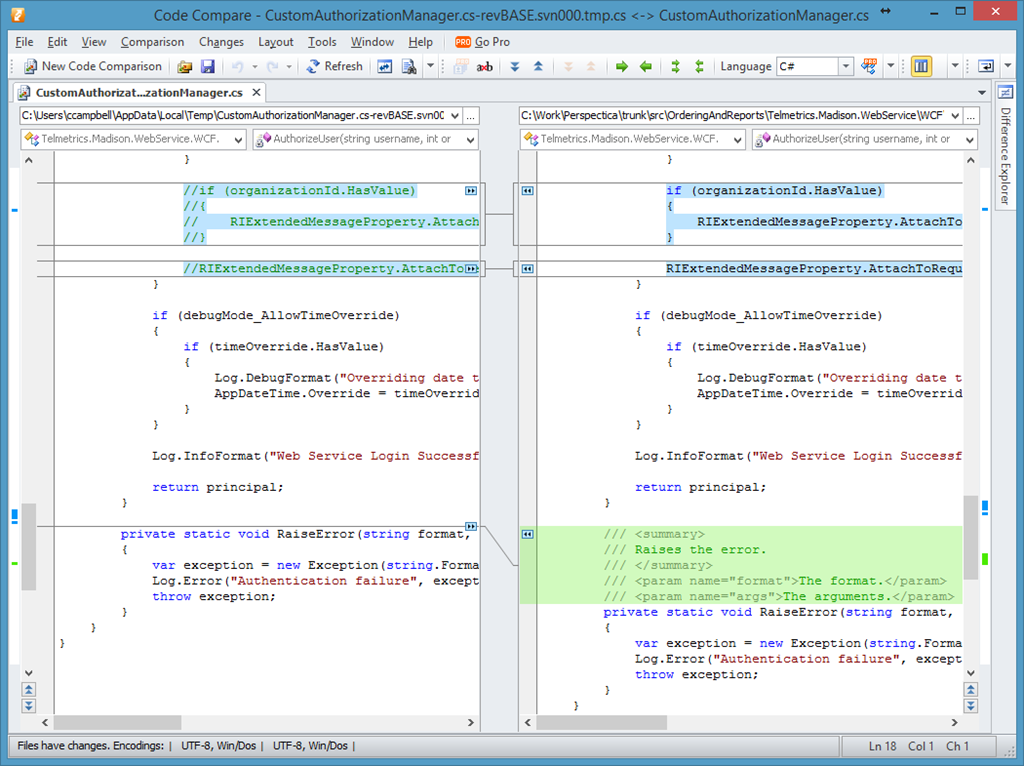
Code Compare is a free tool designed to compare and merge differing files and folders. Code Compare integrates with all popular source control systems: TFS, SVN, Git, Mercurial, and Perforce. Code Compare is shipped both as a standalone file diff tool and a Visual Studio extension.

Code Compare introduces the concept of Code Orientation, ultimately making it stand out from competitive file diff software. The concept implies syntax highlighting, similar lines detection as well as unique structure and lexical comparison algorithms. The file compare tool takes into account language specifics, which allows comparing sources in several of the most popular programming languages as code!

image

Integration with TortoiseSVN

One of the great benefits about Code Compare is that it can be integrated with a number of version control systems. This means you’re not stuck using the comparison tool that comes with each version control system and you can have a consistent experience across all your comparisons.

I have Code Compare integrated with TortoiseSVN and TFS.

For a list of version control systems that Code Compare can integrate with, checkout the following page.

References

http://www.devart.com/codecompare/
http://www.devart.com/codecompare/integration/
http://www.devart.com/codecompare/integration/integration_tortoisesvn.html

Development

Microsoft Virtual Academy “Achievement Unlocked” T-Shirt Offer (MSDN)

Get your “Achievement Unlocked” t-shirt by completing 2 or more of Microsoft Virtual Academy courses:

Microsoft Virtual Academy has courses that cover the entire Microsoft developer platform. Complete two (2) or more of any of these MVA courses and we’ll send you an awesomely geeky t-shirt that will help you share the knowledge achievement that you’ve unlocked!

To claim your “Achievement Unlocked” t-shirt:

  1. Start and complete two (2) more modules of any course listed below between 12/1/2013 and 1/31/2014.
  2. Take a screenshot of the course page (as shown below) showing you logged in, Canada as your country, and at least 2 completed (green) modules.
    image
  3. Send your screenshot to mvachallenge@microsoft.com with
    Your first name
    Last name
    Mailing address.

Your transcript will be validated and your t-shirt will be sent to you! Simple as that!


Please see the following post from the Canadian Developer Connection blog for more details:

http://blogs.msdn.com/b/cdndevs/p/mvachallenge_msdn.aspx

Offer expires January 31 2014.

Enjoy!

DesignDevelopment

Windows Store apps–App features, start to finish

Came across an excellent resource for Windows Store app development that goes over the app features from start to finish.

This start-to-finish series helps you add features to your app to engage your customers and to create the kind of experiences that draws people in and delight them. Each guide walks you through building an app from scratch to app certification. Start with a basic flat or hierarchical app and add features from there!

List of app features lists on the site are:

  • Flat navigation
  • Hierarchical navigation
  • App UI basics
  • App state
  • File handling
  • User interaction
  • User interaction customization
  • Media playback
  • Geofencing

Each of these features includes both an HTML and XAML guide. Check it out.

http://msdn.microsoft.com/en-us/library/windows/apps/dn263202.aspx

Enjoy!

DesignDevelopment

Idea books for commercial and enterprise app design (including sample code)

Came across a great post on the Windows App Builder Blog for creating Windows Store apps.

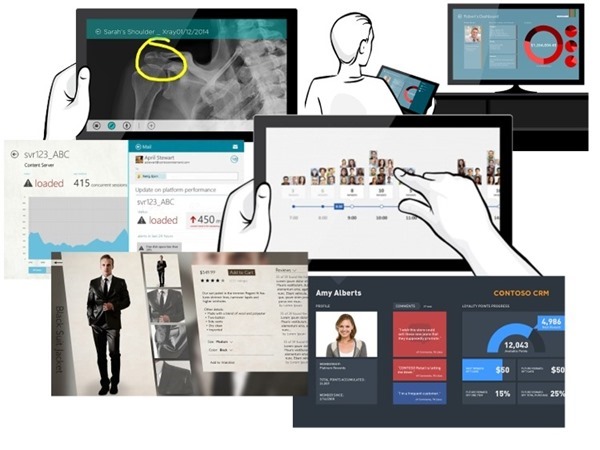
Create great Windows Store apps that provide elegant, engaging, consistent and compelling user experiences in Windows. Idea books are a great starting point to inspire you when designing your Windows Store app. Idea books target different app categories and show what’s possible as well as how to create best-in-class experiences in your app.

idea-book_thumb_034E5836

From the blog post, you can see the current list of idea books that have an accompanying code sample:

Enjoy!

References

http://blogs.windows.com/windows/b/appbuilder/archive/2013/08/02/idea-books-for-commercial-and-enterprise-app-design-with-sample-code.aspx

Development

Brian Keller’s 5 reasons for Team Foundation Service

Came across a great little video that Brian Keller created on his top 5 reasons for liking Team Foundation Service that I would like to share…

http://vimeo.com/microsoftvisualstudio/review/74686407/42c694668d

Enjoy!