Category: AI

AI

Microsoft AI Skills Fest

The Microsoft AI Skills Fest is a 50-day learning event, running from April 8 until May 28, 2025. It’s all about leveling up AI skills with tailored content for tech pros, business managers, students, and public sector workers.

  • AI Agents for Tech Pros – Dive into Azure AI Foundry & GitHub Copilot to create and fine-tune AI-driven tools.
  • AI for Business Managers – Learn practical AI strategies that boost workplace efficiency. Leads to a pro certificate.
  • Students & AI LiteracyMinecraft Education’s Fantastic Fairgrounds introduces AI concepts in an engaging way.
  • AI in the Public Sector – Explore responsible AI, security, and decision-making tools to improve government services.
  • Skill Challenges – Compete with global learners in AI challenges.
  • Certification Discounts – Massive exam discounts & a chance to grab one of 50,000 free vouchers.
  • Training Sessions – Exclusive workshops from Microsoft Training Services Partners.
  • Festival Guide – A map to explore AI zones and experiences.

It’s worth checking out. Head over to https://aiskillsfest.event.microsoft.com/ and register.

Enjoy!

.NETAIAzureCloudCommunity

Festive Tech Calendar 2024 YouTube playlist

Enjoy!

Reference

https://festivetechcalendar.com/

AIGitHubGitHub Copilot

GitHub Copilot Chat is now generally available

This week GitHub announced that GitHub Copilot Chat is now generally available. All GitHub Copilot users can now enjoy natural language-powered coding with Copilot Chat at no additional cost for both Visual Studio Code and Visual Studio. It is also free to verified teachers, students, and maintainers of popular open-source projects.

What is GitHub Copilot Chat? GitHub Copilot Chat is a chat interface that lets you interact with GitHub Copilot, an AI-powered coding assistant, within supported IDEs. You can use GitHub Copilot Chat to ask and receive answers to coding-related questions, get code suggestions, explanations, unit tests, and bug fixes, and learn new languages or frameworks.

GitHub Copilot Chat is powered by OpenAI’s GPT-4 model, which is fine-tuned specifically for dev scenarios. You can prompt GitHub Copilot Chat in natural language to get help with learning new languages or frameworks, troubleshooting bugs, writing unit tests, detecting vulnerabilities, and more. GitHub Copilot Chat also supports multiple languages, so you can communicate with it in your preferred language.

To get started with GitHub Copilot Chat, you need to sign up for GitHub Copilot and install the GitHub Copilot extension in your IDE. You can then access GitHub Copilot Chat from the sidebar and start chatting with it. In Visual Studio, go to the View menu and select “GitHub Copilot Chat” to show the pane.

Then ask it a question…

You can also check out the documentation and the FAQ for more information.

Enjoy!

Reference

GitHub Copilot Chat is now generally available for organizations and individuals – The GitHub Blog

Using GitHub Copilot Chat in your IDE – GitHub Docs

AIAzureEventsLearning

Microsoft Build 2023 Book of News

What is the Book of News? The Microsoft Build 2023 Book of News is your guide to the key news items that are announced at Build 2023.

As expected there is a lot of focus on Azure and AI, followed by Microsoft 365, Security, Windows, and Edge & Bing. This year the book of news is interactive instead of being a PDF.

Some of my favourite announcements

Azure Cloud Native and Application Platform

Azure API Management

  • Azure API Center: A new service that will enable organizations to centralize and manage their portfolio of APIs, regardless of type, life cycle or deployment location. This update is in preview. Learn more about updates to Azure API Center.
  • WebSocket API passthrough: Allows users to manage, protect, observe and expose WebSocket APIs running in container environments with the API Management self-hosted gateway container. This is now generally available. Learn more about WebSocket API passthrough.
  • Self-hosted gateway support for Azure Active Directory (Azure AD) tokens: Users will be able to secure communication between the self-hosted gateway to Azure to download configuration using Azure AD tokens. This allows customers to avoid manually refreshing a gateway token that expires every 30 days. This update is generally available.

Azure Event Grid

  • Leverage HTTP to enable “pull” delivery of discrete events to provide more flexible consumption patterns at high scale.
  • Enable publish-subscribe via the MQTT protocol, enabling bidirectional communication at scale between Internet of Things (IoT) devices and cloud-based services.
  • Enables routing MQTT data to other Azure services and third-party services for further data analytics and storage.

These updates are now in preview. Learn more about public preview of MQTT protocol and pull message delivery in Azure Event Grid.

Azure Functions

  • Deploy containerized Azure Functions in an Azure Container Apps environment to quickly build event-driven, cloud-native apps leveraging built-in Dapr integrations for distributed, microservice-based serverless apps.
  • Maximize developer velocity using Azure Functions integrated programming model, write code using preferred programming language or framework that Azure Functions supports and get the built-in service integrations with triggers and bindings for a first-class, event-driven, cloud-native experience.
  • Run Azure Functions alongside other microservices, APIs, websites, workflows or any containerized app using an Azure Container Apps environment built for robust serverless scale, microservices and fully managed infrastructure.

Azure Kubernetes Service

  • Long-term support is now generally available, starting with Kubernetes 1.27. Once enabled, this provides a two-year support window for a specific version of Kubernetes. Kubernetes delivers new releases every three to four months to keep up with the pace of innovation in the cloud-native world. To give enterprises more control over their environment, long-term support for Kubernetes enables customers to stay on the same release for two years – twice as long as what’s possible today. This is a long-awaited development in the cloud-native, open-source community for customers who need the additional option for a longer upgrade runway with continued support and security updates.
  • Transactable Kubernetes apps, now generally available, allow AKS customers to explore a vibrant ecosystem of first- and third-party Kubernetes-ready solutions from Azure Marketplace, and purchase and securely deploy them on AKS with easy click-through deployments. Conveniently integrated with Azure billing, these solutions are ready to use, taking advantage of all the benefits of running on a cloud-native platform like AKS.
  • Confidential containers in AKS, now in preview, is a first-party offering that will allow teams to run standard unmodified containers, aligned with the Kata Confidential Containers open-source project, to achieve zero trust operator deployments with AKS. These containers can be integrated with the typical services used by apps running on AKS for monitoring, logging, etc. in a trusted execution environment (TEE), with each pod assigned its own memory encryption key, providing hardware-based confidentiality and integrity protections, underscoring Microsoft’s focus on enterprise-readiness for these workloads. Learn more about confidential containers in AKS.
  • The multi-cluster update in Azure Kubernetes Fleet Manager (Fleet), in preview, will enable multi-cluster and at-scale scenarios for AKS clusters. The new multi-cluster update feature gives teams the ability to orchestrate planned updates across multiple clusters for a consistent environment.

Azure Communication Services

  • A new set of application programming interfaces (APIs), generally available next month, will help developers build server-based, intelligent calling workflows into their apps and simplify the delivery of personalized customer engagement with additional AI capabilities from Azure Cognitive Services.
  • Call automation interoperability into Microsoft Teams will be in preview next month for businesses that want to connect experts who use Teams into existing customer service calls. From daily appointment bookings and order updates to complex customer outreach for marketing and customer service, call automation with Azure Communication Services is changing the landscape of customer engagement.

Azure Data Platform

Microsoft Fabric

  • Microsoft Fabric, now in preview, delivers an integrated and simplified experience for all analytics workloads and users on an enterprise-grade data foundation. It brings together Power BI, Data Factory and the next generation of Synapse in a unified software as a service (SaaS) offering to give customers a price-effective and easy-to-manage modern analytics solution for the era of AI. Fabric has experiences for all workloads and data professionals in one place – including data integration, data engineering, data warehousing, data science, real-time analytics, applied observability and business intelligence – to increase productivity like never before.
  • To further enable organizations to accelerate value creation with their data, Microsoft is integrating Copilot in Microsoft Fabric, in preview soon, to enable the use of natural language and a chat experience to generate code and queries, create AI plugins using a low/no-code experience, enable custom Q&A, tailor semantics and components within the plugin and deploy to Microsoft Teams, Power BI and web. With AI-driven insights, customers can focus on telling the right data story and let Copilot do the heavy lifting.
  • Organizational data is hosted on Microsoft’s unified foundation, OneLake, which provides a single source of truth and reduces the need to extract, move or replicate data, helping eliminate rogue data sprawl. Fabric also enables persistent data governance and a single capacity pricing model that scales with growth, and it’s open at every layer with no proprietary lock-ins. Deep integrations with Microsoft 365, Teams and AI Copilot experiences accelerate and scale data value creation for everyone. From data professionals to non-technical business users, Fabric has role-tailored experiences to empower everyone to unlock more value from data.

Azure Cosmos DB

  • ​Burst capacity: Developers can achieve better performance and productivity with burst capacity, which allows customers to utilize the idle throughput capacity of their database or container to handle traffic spikes. Databases using standard provisioned throughput with burst capacity enabled will be able to maintain performance during short bursts when requests exceed the throughput limit. This gives customers a cushion if they’re under-provisioned and allows them to experience fewer rate-limited requests. This update is generally available.
  • ​Hierarchical partition keys: More efficient partitioning strategies and improved performance are made possible by hierarchical partition keys, which enable up to three partition keys to be used instead of one. This removes the performance trade-offs that developers often face when having to choose a single partition key and enables more optimal data distribution and high scale. This is generally available.
  • ​Materialized Views for Azure Cosmos DB for NoSQL: With Materialized Views, now in preview, users will be able to create and maintain secondary views of their data in containers that are used to serve queries that would be too expensive to serve with an existing container. Materialized Views can easily create and maintain data between two containers.
  • ​Azure Cosmos DB “All versions and deletes” change feed mode: Developers will be able to get a full view of changes to items occurring within the continuous backup retention period of their account, saving time and reducing app complexity. This is in preview.
  • ​.NET and Java SDKs Telemetry + App Insights: Monitoring apps will be easier with this update, now in preview. The Azure Cosmos DB .NET and Java SDKs support distributed tracing to help developers easily monitor their apps and troubleshoot issues, thereby improving performance and developer productivity.

Windows Platform

  • After listening to developer feedback, Microsoft created a home for developers on Windows with a renewed focus on productivity and performance across all stages of the development lifecycle. These features, now in preview, include:
  • Dev Home will allow users to quickly set up their machines, connect to GitHub and monitor and manage workflows in one central location. Dev Home is open source and extensible, allowing users to enhance their experience with a customizable dashboard and the tools they need to be successful. Users can also add GitHub widgets to track projects and system widgets to track CPU and GPU performance.
  • Windows Package Manager now includes WinGet configuration, which handles the setup requirements for an ideal development environment on a Windows machine using a WinGet configuration file, reducing device setup time from days to hours. Developers no longer need to worry about searching for the right version of the software, packages, tools or frameworks to download or settings to apply. WinGet configuration reduces this manual and error-prone process down to a single command with a WinGet configuration file.
  • Dev Drive is a new type of storage volume designed to provide developers with a file system that meets their needs for both performance and security. It is based on the Resilient File System (ReFS) and combined with a new performance mode capability in Microsoft Defender Antivirus provides up to 30% performance improvement in build times for file input/output (I/O) scenarios over the in-market Windows 11 version. The new performance mode is more secure for developer workloads than folder or process exclusions, providing a solution that balances security with performance.
  • Windows Terminal is getting smarter with GitHub Copilot X. Users of GitHub Copilot will be able to take advantage of natural language AI both inline and in an experimental chat experience to recommend commands, explain errors and take actions within the Terminal app. Microsoft is also experimenting with GitHub Copilot-powered AI in other developer tools like WinDBG to help developers’ complete tasks with less toil.

Click here to read the Microsoft Build 2023 Book of News!

Enjoy!

AIAnalyticsAzureDeveloperDevOps

Highlights from Microsoft Build 2021 | Digital Event

I’m happy to announce a Highlights from Microsoft Build 2021 digital event next Thursday, July 15. Please join me and other local experts as we look to provide key insights from the event that will help you expand your skillset, find technical solutions, and innovate for the challenges of tomorrow.

Here are the topics that will be covered:

  • .NET 6 and ASP.NET Core 6 and C#10
  • Internet of Things
  • DevOps
  • Kubernetes
  • Power Platform
  • Artificial Intelligence
  • Azure Functions
  • Entity Framework
  • Power BI

For more details about this event, please visit https://www.meetup.com/CTTDNUG/events/279130746/

Enjoy!

AIAzureEventsLearning

Microsoft Build 2021 Book of News

What is the Book of News? The Microsoft Build 2021 Book of News is your guide to the key news items that are announced at Build 2021.

As expected there is a lot of focus on Azure and AI, followed by Microsoft 365, Security, Windows, and Edge & Bing. This year the book of news is interactive instead of being a PDF.

Some of my favorite announcements

Azure Cloud Native and Application Platform

  • Running Azure app services being able to run on Kubernetes clusters anywhere with Azure Arc
  • Native support for WebSocket APIs in Azure API Management is now in preview
  • Azure Communication Services, the first fully managed communication platform offering from a major cloud provider, has new intelligent features and functionality to complete customers’ end-to-end communication experiences
  • Azure Logic Apps is now updated with new hosting options, improved performance and developer workflows
  • Durable Functions, an extension to Azure Functions that lets users write serverless workflows, now supports PowerShell

Azure Cosmos DB

  • With the introduction of the partial document update for Azure Cosmos DB, developers can modify specific fields or properties within a document without requiring a full document read and replace
  • Azure Cosmos DB serverless is now generally available for all APIs (Core, MongoDB, Cassandra, Gremlin and Table)
  • Azure Cosmos DB Linux emulator is now in preview
  • Azure Cosmos DB expanded free tier is now generally available
  • Azure Cosmos DB integrated cache is now in preview
  • Always Encrypted for Azure Cosmos DB is now in preview
  • Azure Cosmos DB role-based access control (RBAC) is now generally available

Click here to read the Microsoft Build 2021 Book of News!

Enjoy!

Resources

Build cloud-native applications that run anywhere.

Microsoft Build 2021: What’s new with Azure Communication Services?

Learn more about Azure Cosmos DB integrated cache and Azure Cosmos DB serverless.

AIAzureEventsLearning

Microsoft Build 2020 Book of News

What is the Book of News? The Microsoft Build 2020 Book of News is your guide to the key news items that are announced at Build 2020.

As expected there is a lot of focus on Azure and AI, followed by Microsoft 365, Security, Windows, and Edge & Bing. This year the book of news is interactive instead of being a PDF.

One of my favorite announcements was the STATIC WEB APPS HOSTING OPTION NOW AVAILABLE IN APP SERVICE IN PUBLIC PREVIEW. This is a new hosting option for JavaScript developers building static or single page apps (SPA) that can quickly host the app in App Service and leverage Azure Functions as an API and GitHub Actions for your CI/CD. Checkout the Azure blog post for more details.

Click here to read the Microsoft Build 2020 Book of News!

Enjoy!

Resources

AIAzureDevOps

Writing code and having fun with Rock, Paper, Scissors, Lizard, Spock | Azure Friday

In this episode of Azure Friday, Isaac Levin joins Scott Hanselman to talk about building highly scalable applications and having fun with the Rock, Paper, Scissors, Lizard, Spock sample application. Rock, Paper, Scissors, Lizard, Spock is a multi-language application built with Visual Studio and Visual Studio Code, deployed with GitHub Actions and running on Azure Kubernetes Service (AKS). It also uses Machine Learning and Azure Cognitive Services (Custom Vision API). Languages used in this application include .NET, Node.js, Python, Java, and PHP.

[0:01:55]

Source: Channel 9

Resources

AIAzureDevelopmentEvents

Registration is now open for Microsoft Build

Build2019

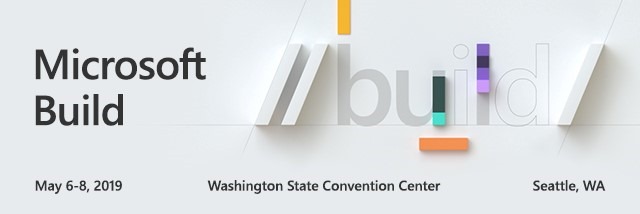
Registration is now open for Microsoft’s premier developer conference, Microsoft Build, which is taking place May 6-8 in Seattle, WA. At Microsoft Build, you’ll get access to the latest product updates, hear about Microsoft’s strategy and product roadmaps, and get hands-on, ask questions, and learn the best practices.

Some of the benefits for attending Build are:

• Learning from real-world experiences on building, modernizing, and migrating cloud applications

• Add value to your new and/or existing applications with AI

• Collaborative coding with your peers using the latest development tools

• Increasing productivity for your business with DevOps automation, tooling, and processes

• Creating and deploying cross platform applications

• Discovering innovations across Mixed Reality, IoT, and Machine Learning

• Learning new ways to easily customize, build, and extend applications with minimal code

If you’re interested in the content from last year, here is complete listing of the 2018 sessions.

New this year is the ability to bring your student-aged family member (14-21 years old) to the conference for free! For details about this wonderful opportunity, click here. Space is limited, so register today. While attending the event last year, one of the Microsoft Executives brought his two daughters and it was awesome to see them take interest and engage with the speakers and product groups. I’m glad they made this available this year for all eligible students.

I went to Microsoft Build last year for the first time and loved the experience to see and try the latest technologies, to connect with peers, and discover new innovative solutions to build. I’m not able to attend this year but I’m hoping to go again in the near future. If you can’t attend, then you always have the option to watch it on demand.

If you’re interested in going, then Register for Microsoft Build now!

Enjoy!

References

Microsoft Build

Microsoft Build FAQ

AI

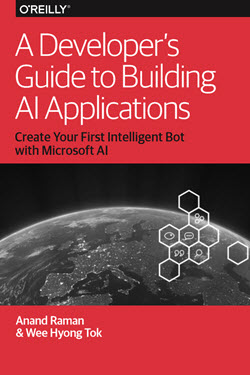
Download the Developer’s Guide to Building AI Applications

O'Reilly  E-book

Thinking about getting started with AI can be a daunting task. Thankfully there is a free e-book called A Developer’s Guide to Building AI Applications that is available to help get you started.

Artificial intelligence (AI) is accelerating the digital transformation for every industry, with examples spanning manufacturing, retail, finance, healthcare, and many others. At this rate, every industry will be able to use AI to amplify human ingenuity. In this e-book, Anand Raman and Wee Hyong Tok from Microsoft provide a comprehensive roadmap for developers to build their first AI-infused application.

This e-book provides an easy introduction to the tooling, infrastructure, and services provided by Microsoft AI Platform for creating powerful, intelligent applications. With this e-book you will learn the key ingredients needed to develop an intelligent chatbot. In addition you will also…

  • Understand how the intersection of cloud, data, and AI is enabling organizations to build intelligent systems.
  • Learn the tools, infrastructure, and services available as part of the Microsoft AI Platform for developing AI applications.
  • Teach the Conference Buddy application new AI skills, using pre-built AI capabilities such as vision, translation, and speech.
  • Learn about the Open Neural Network Exchange.

Download your copy now.

Enjoy!

    References

    https://info.microsoft.com/ww-landing-ai-developers-bot-ebook.html