Unknown's avatar

All posts by Callon Campbell [MVP]

CloudDatabaseDevelopment

Exploring Windows Azure

image

If you don’t already know what Windows Azure is, then it’s Microsoft’s public cloud.

Microsoft’s Windows Azure is flexible, open and rock solid. Windows Azure allows you to quickly build, deploy and manage applications across a global network of Microsoft-managed datacenters. You can build applications using any OS, Language, Database or Tool and it has a 99.95% monthly SLA.

One of the new features I noticed is FREE Web Sites. It allows you to start for free and scale as you go.

When they say open, they have greatly expanded the development languages, framework and tools available, all of which are open source and available on github. Cool!

There are also changes in what servers you can use. Apart from Windows, you can now also install Linux as well in virtual machines.

Azure is really transforming into a cloud that isn’t just limited to the Microsoft technology stack, not that there is nothing wrong with that. I love Microsoft technologies, but I think Microsoft make a smart decision to open up and allows Linux, mySql and other languages to be used.

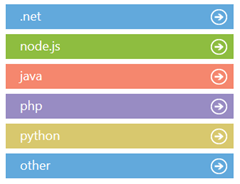
Speaking of languages, there is now support for 5 major languages and then some.

Languages
image

Developer Features

Data Storage

  • Blob Service
  • Table Service
  • SQL Database
  • SQL Reporting
  • Hadoop

Messaging and Integration

  • Service Bus Queues
  • Service Bus Topics
  • Queue Service
  • Service Bus Relay

Additional Features

  • Caching (AppFabric)
  • Access Control
  • Diagnostics
  • Autoscaling
  • Media Services
  • SendGrid Email Service
  • Twilio

Free Trial

With the free trial you can…

  • Quickly deploy websites to a highly scalable cloud environment
  • Easily deploy and manage virtual machines running Windows Server and Linux
  • Create highly scalable applications in a rich PaaS environment
  • Create, manage and distribute media in the cloud

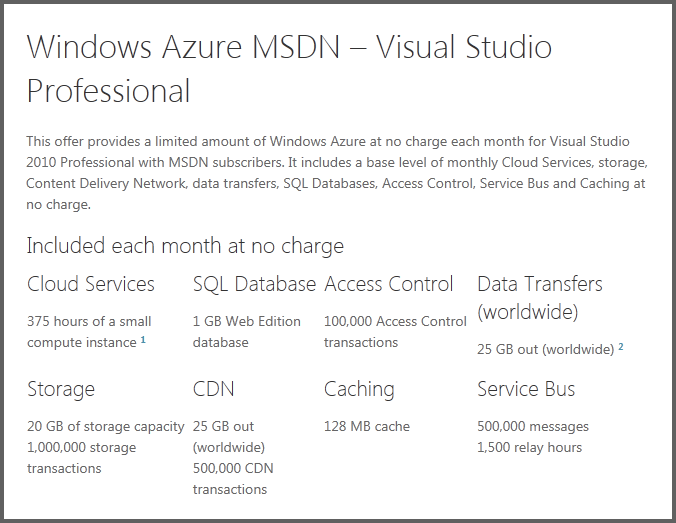
The free trial contains:

compute 750 small compute hours per month
web sites 10 shared web sites
relational database 1 GB SQL database instance
storage 20 GB with 1,000,000 storage transactions
bandwidth unlimited inbound and 20 GB outbound

There is a lot that can be done with Windows Azure and the only way to know if it’s right for you and your organization is to give it a try and see what you think.

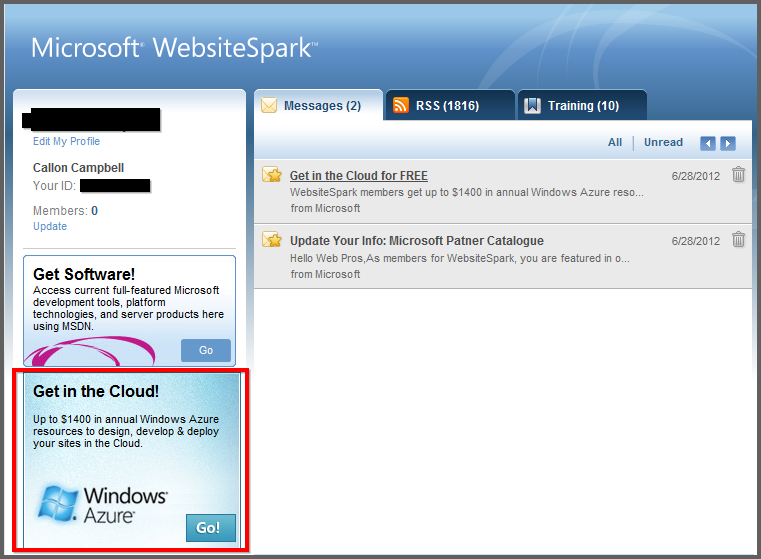
Get started now:

image

AviationGames

Flying in Alaska

Microsoft will soon release its second expansion, Alaska Wilderness DLC for Microsoft Flight.

Like Hawaii, with its rich history of military aviation, Alaska has also seen its share of airborne hostilities. The difference is that the opponents in Alaska aren’t other pilots: they’re the elements and terrain itself. In a land where the nearest roads might be hundreds of miles away, planes provide the only efficient way to travel and transport cargo over long distances. You’ll face capricious crosswinds over mysterious vistas, unpredictable terrain with isolated and difficult landing strips, and other challenges in this land of fierce and dangerous beauty. Are you ready to take on the Alaskan Wilderness?

Look for this adventure to be available soon. Until then here are some awesome screenshots:

252358_367885296606791_100257846702872_964339_1414536857_n

Alaska Teaser 4

Alaska Teaser 3

Games

E3 2012 Coverage – Gears of War: Judgment

“Gears of War: Judgment” (Epic Games, People Can Fly, Microsoft Studios). “Gears of War: Judgment” takes you back before the events of the original “Gears of War” trilogy to the immediate aftermath of Emergence Day — the defining event of the “Gears of War” universe. Follow Kilo Squad, led by Damon Baird and Augustus “The Cole Train” Cole, as they fight to save the city of Halvo Bay from an unstoppable enemy in the most intense “Gears” game yet. “Gears of War: Judgment” introduces a variety of new multiplayer experiences, including OverRun, a thrilling new class-based competitive mode that will pit Locust and COG soldiers in a head-to-head battle unlike anything “Gears” fans have experienced yet. “Gears of War: Judgment” will launch worldwide in early 2013.

I can’t wait to get my hands on this game.

For more coverage of this and other exciting games coming out, checkout http://www.microsoft.com/en-us/news/Press/2012/Jun12/06-04Xbox360E3PR.aspx

Development

First Look at Visual Studio 2012 RC

First you will notice that Visual Studio 2012 gets an updated logo. Falls in line with the Metro theme that is being applied to just about every product these days.

VS2012 Logo

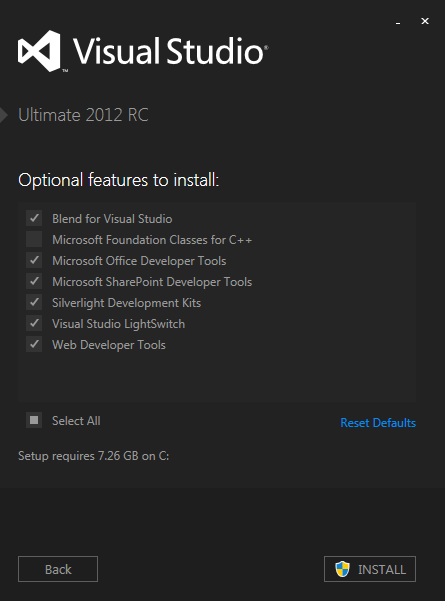
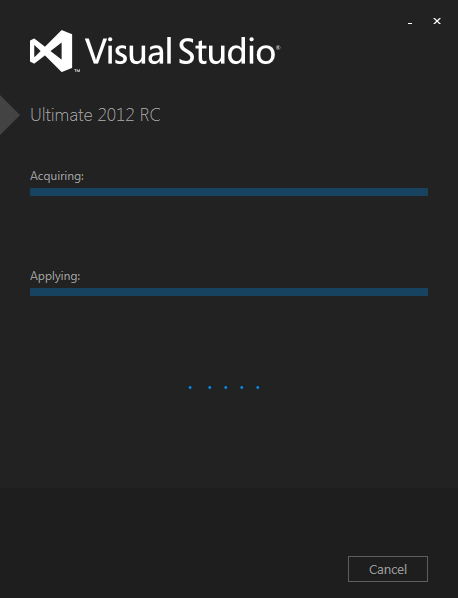
Visual Studio 2012 sports a new installer UI. It clearly embraces the Metro style.

VS2012Install

VS2012InstallStep2

VS2012Installing

VS2012StartPage

These UI changes are not final. It’s already been posted on the Visual Studio Team Blog that further changes to the Visual Studio themes are coming but just didn’t make the release candidate.

Please see my blog post about these theme changes:
Permalink to Visual Studio 11 Gets a Dark Theme

Technology

Welcome to Windows 8 (Release Preview)

Yesterday Microsoft delivered the Windows 8 Release Preview, the final pre-release milestone of its next OS. Along with this release came related releases such as Windows Server 2012 Release Candidate (RC) and Visual Studio 2012 RC.

startmenu

If you know me, then you know I’m a huge Microsoft fan boy. I have a Zune, a few Xbox 360’s, an original Xbox, a Windows Phone (first the Focus and now the Lumia 900) and I’m a software developer specializing in Microsoft Development technologies (.NET Framework, C#, Visual Studio, SQL Server, Azure, etc).

Anyway I must say I absolutely love what Windows 8 is and the impact it will have on our every day lives. I’m still a little unsure to the lack of the Star button when in Desktop mode…but I’m sure that will grow on me.

I plan on redoing my main laptop from Windows 7 Ultimate to Windows 8. I’ll then install Visual Studio 2012 RC and begin exploring what is possible in Metro-style applications, the Windows Runtime, and fully embrace this change.

The Windows 8 Release Preview is here. Go get it now.
http://windows.microsoft.com/en-US/windows-8/release-preview

Here is a wonderful guide to Windows 8 Release Preview from Paul Thurrott’s Supersite for Windows. I highly recommend you take a look at everything he’s documented in his articles and the wonderful screenshots.

Development

Visual Studio 11 Gets a Dark Theme

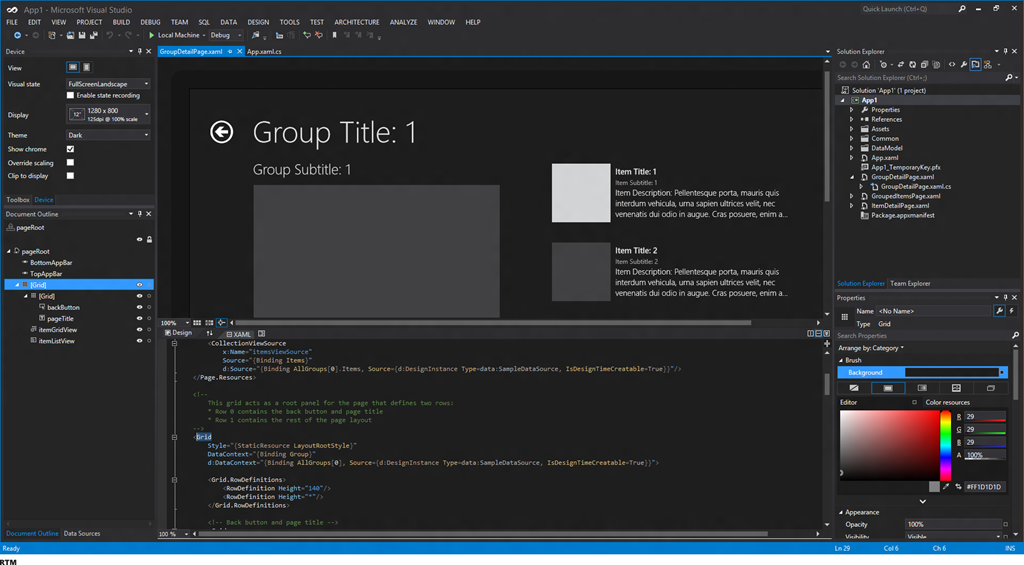
I came across an interesting article on the Visual Studio blog, which shows a dark theme coming to Visual Studio 11…cool!

dark_theme3_RTM_planned

Along with this dark theme, we will also see other improvements to the IDE such as:

  • Themed Icons (which they will provide to us for use in our applications)
  • Themed Scrollbars (finally)
  • Dark Editor Theme
  • Common Dialogs (will get the dark theme too)

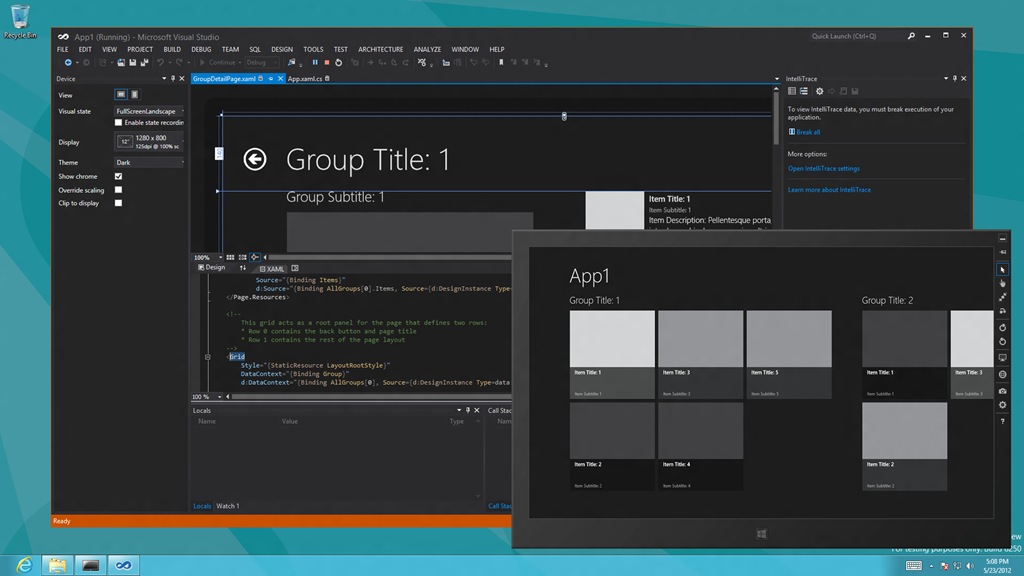
Here is a screenshot that brings it all together, showing a dark themed Visual Studio 11 with the Windows 8 simulator running in the foreground.putting it all together

You can read more about this on the Visual Studio blog.

Cheers

Life

Say hello to my son Kaden Campbell

Kaden Jacob Danielson Campbell was born Sunday May 13 at 8:53pm at Mount Sinai hospital in Toronto. He weighed in at 7 lb. 13 ounces.

IMG_5738IMG_5761IMG_5772IMG_5768

These pictures are of him at the hospital when he is less than a day old. The hospital had a professional photographer that went around and offered to take pictures on a mobile studio. We thought this was great and after looking through the pictures we were really impressed and bought them…well Nana bought them for us. Thank you!

Development

ResXFileCodeGeneratorEx Update for VS2010

If you were using this tool in Visual Studio 2008 and then upgraded your solution to Visual Studio 2010, you might have noticed that this functionality no longer worked. You also might have received an error, which you dismissed.

ResXFileCodeGeneratorEx is an awesome tool and I’m surprised it still hasn’t been officially updated to support Visual Studio 2010.

Well after doing some digging around, I found an article with a work around that enables this functionality in Visual Studio 2010. Here are the instructions to get it working on your machine, followed by an example:

  1. Shut down Visual Studio 2010.
  2. If you don’t already have the tool ResXFileCodeGeneratorEx downloaded and installed, please do so. You can get the latest installer from http://dmytro.kryvko.googlepages.com/
  3. Save the attached file in this email and remove the .temp extension.
  4. Double click the attached file that you renamed and have it add its contents to your Registry.
  5. Restart Visual Studio 2010.

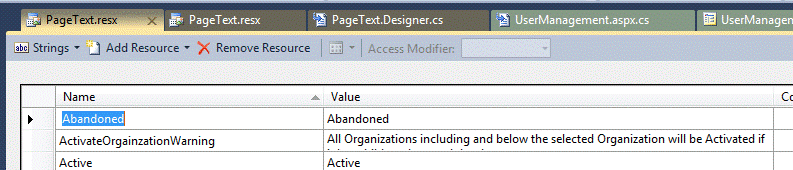
Here is a working example of how to use the tool. Say you want to add a new entry to the PageText.resx resource file contained in your solution and the entry was “Abandoned”:

  1. Open up PageText.resx by double clicking the file.
  2. Add “Abandoned” in the name and “Abandoned” in the value.
    clip_image002
  3. Click Save.
  4. Next right click on PageText.rex and click on Run Custom Tool as shown below…
    clip_image002[8]
  5. Now you can reference this value from your code by typing in PageText.
    clip_image002[10]

Hope that helps.

LifeTechnology

SkyDrive App for Windows

logo_sky

Microsoft recently released a number of SkyDrive updates, including changes to the service, mobile apps for iPhone and Windows phone and a preview of a new Windows desktop application.

There are also changes to the storage size. As mentioned in a previous post, those that have been with Microsoft (MSN, Hotmail, Live) for a long time are being given a free upgrade to 25GB of storage. You can then add additional storage if you like. See my previous post for more details. If you haven’t already upgraded your account, you should take advantage of this before it expires.

First, what is SkyDrive?

SkyDrive is a cloud based solution for storing important files on your PC and keeping them in sync with SkyDrive.com. It is the easiest way to access your SkyDrive from your PC. When you install SkyDrive, a SkyDrive folder is created on your PC. Everything you put in this folder is automatically kept in sync between your computers (PC or Mac) and SkyDrive.com, so you can get to your latest files from virtually anywhere. Whenever you add, change, or delete files in one location, all the other locations will be updated.

sshot-216

If you forgot to put something in your SkyDrive folder, you can still get back to your PC to access all its files and folders from SkyDrive.com.

You can also access your SkyDrive from your mobile devices, including Windows Phone, iPhone, iPad, Android, etc. There is also support for the Mac.

SkyDrive Application for Windows

As mentioned above, with these changes comes a new desktop application for Windows which allows you to see your SkyDrive as if it were a physical folder on your machine. This has the added effect of making any program with a save option SkyDrive enabled.

sshot-215

Similar to other cloud solutions, this desktop application lets you drag and drop files to the SkyDrive folder. These files are then automatically uploaded to the remove server. This means you can work on a document, save it to SkyDrive and then always have the latest version available online, your phone, another computer, and so on.

Summary of Features

  • Access your SkyDrive right from Windows Explorer—photos, documents, and all your other important files
  • Quickly add new files to SkyDrive by dragging them to the SkyDrive folder
  • Easily organize your files and folders in SkyDrive, just like any other folder
  • Connect back to your PC if you forget to put something in SkyDrive

Compatibility

This application is compatible with Windows Vista, Windows 7, and the upcoming Windows 8. Windows XP users will have to use the web browser interface.

Download

You can download any of the SkyDrive apps from here.

DatabaseDevelopment

SQL Server Management Studio 2012 –Tips and Tricks

One of the biggest changes to SQL Server 2012 is that is now uses the Visual Studio 2010 Shell. Knowing that now, here are a few tips and tricks for SQL Server Management Studio 2012

Blocked Selection

Sometimes you may only want to select and copy a column of text as opposed to the normal text selection done by holding down the Shift Key. To do Block selection, you can do SHIFT+ALT and drag your mouse to only select certain areas of your text in column fashion.

image

Cycle through Query Windows

I’ve known about ALT+TAB to cycle through programs (Windows). I’ve also known about CTRL+TAB to cycle through components within a given application. For example in Excel you could use CTRL+TAB to move between worksheets. I’ve never tried it in Management Studio, but it allows you to cycle through the Query Windows.

image

Also, CTRL + F6 will cycle through the actual tabs without the graphic switching display.

Status Bar

Most people should be familiar with the Status Bar at the bottom of the query window, but did you know you can customize it?

image

If you look under Tools –> Options –> Text Editor –> Editor Tab and Status Bar you will see a number of options that you can change.

Grouped Connections

You can go to View and select to show Registered Servers. Within Registered Servers you can create a group of SQL Servers. This then allows you to start a query that will be run against all of the servers within the group. This is where the Group Connection Color for the status bar comes into play.

image

This could be really handy if you need to execute items across multiple servers. The color of the status bar is there to help you realize that that query is a group query as opposed to a single server connection.

Keyboard Shortcuts

There are a ton of Keyboard shortcuts that you can use within Visual Studio. The default settings are based on Visual Studio 2010. Here is a list of those shortcuts. SQL Server Management Studio Keyboard Shortcuts

You can get to these through Tools -> Options -> Environment/Keyboard

image


I hope these are useful to you.