Unknown's avatar

All posts by Callon Campbell [MVP]

AIAzure

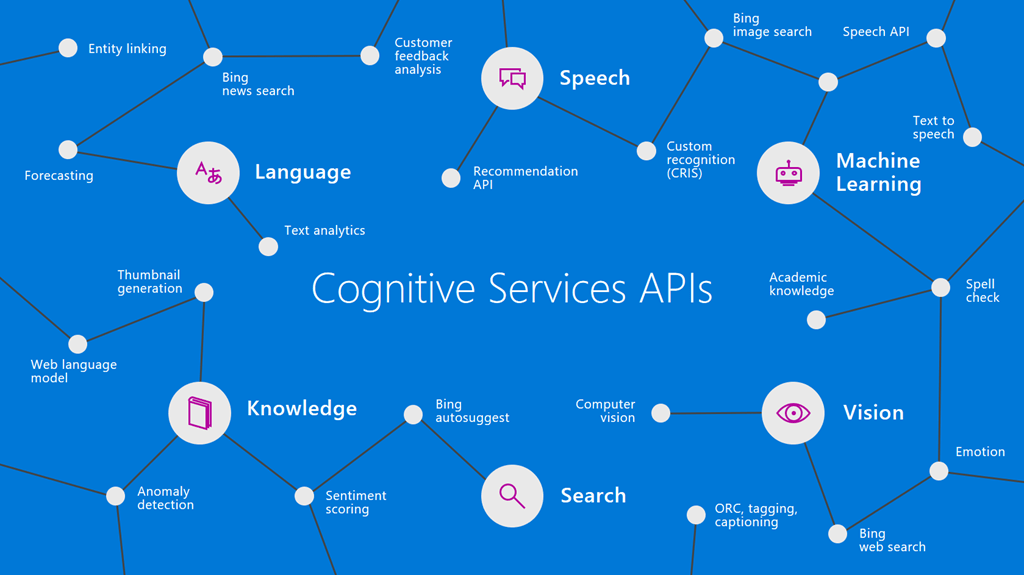
Give your solutions a more human side with Microsoft Cognitive Services

image

Making AI Possible

Today there are three mega trends converging that are making AI possible:

    1. Big Compute
    2. Powerful Algorithms
    3. Massive Data

      Microsoft is in a unique position to help you take advantage of these trends with three important assets:

        1. Microsoft Azure, providing the best cloud for developers
        2. Breakthrough in AI Innovations, through Microsoft Azure and their AI resources this innovation is brought to you as a developer
        3. Data. Microsoft Graph gives you access to the most important data for your business and/or application, your data!

          Microsoft has a strong vision that AI should be democratized and be available to everyone – developers, data scientists, enterprises, and yes even your dog. Microsoft has been involved and conducting research into AI for the last couple decades and infusing it into their products and services (Bing, Xbox, Office 365, Skype, Cortana, LinkedIn, etc). This research eventually found its way into a product known as Microsoft Cognitive Services.

          Introducing Microsoft Cognitive Services

          Microsoft Cognitive Services, formerly known as “Project Oxford” was first announced at Build 2016 conference and released as a preview. This is a rich collection of cloud-hosted APIs that let’s developers add AI capabilities such as vision, speech, language, knowledge and search into any application across any platform (Windows, Mac, iOS, Android, and Web) using simple RESTful APIs and/or SDKs (NuGet packages). Rather than having to deal with the complexities that come with machine learning, Cognitive Services provides simple APIs that handle common use cases, such as recognizing speech or performing facial recognition on an image.These APIs are based off machine learning and fit perfectly into the conversation-as-a-platform philosophy.

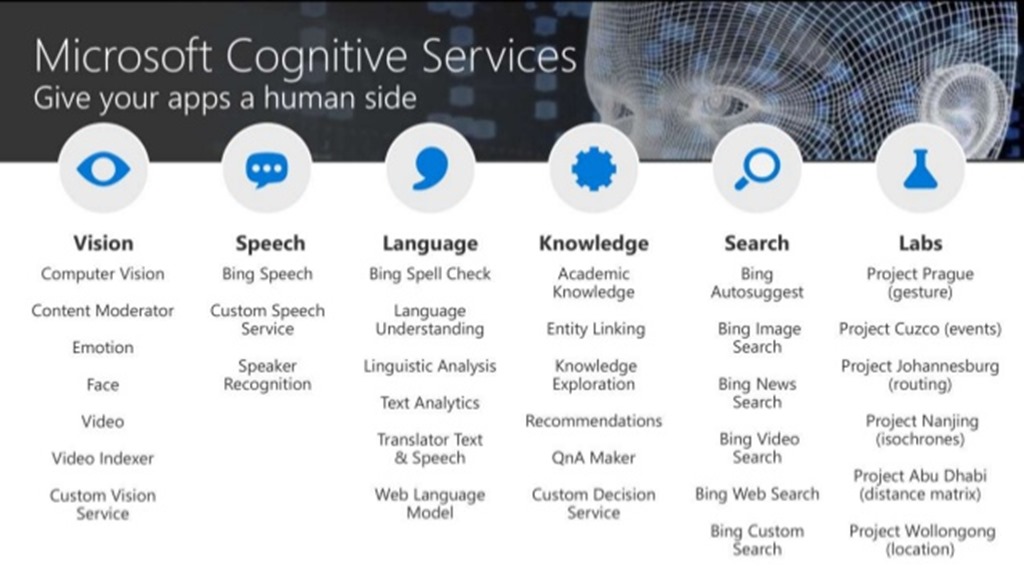
          With Microsoft Cognitive Services, you can give your applications a human side. To date there are currently 29 APIs across 5 categories of Vision, Speech, Language, Knowledge, and Search. Let’s take a look at each of these categories:
          azure-meetup-getting-started-cognitive-services-7-638

          Vision – From faces to feelings, allow your apps to understand images and videos

          Speech – Hear and speak to your users by filtering noise, identifying speakers, and understanding intent

          Language – Process text and learn how to recognize what users want

          Knowledge – Tap into rich knowledge amassed from the web, academia, or your own data

          Search – Access billions of web pages, images, videos and news with the power of Bing API’s

          Labs – Microsoft Cognitive Services Labs is an early look at emerging technologies that you can discover, try and provide feedback before they become generally available

          Why Use Microsoft Cognitive Services?

          So why choose these APIs? It’s simple, they just work, their easy to work with, flexible to fit into any application or platform and their tested.

          Easy – The APIs are easy to implement because their simple REST calls.

          Flexible – These APIs all work on whatever language, framework, or platform your choose. This means you can easily incorporate into your Windows, iOS, Android and Web apps using the tools and frameworks you already use and love (.NET, Python, Node.js, Xamarin, etc.).

          Tested – Tap into the ever growing collection of APIs developed by the experts. You as developers can trust the quality and expertise built into each API by experts in their field from Microsoft Research, Bing, and Azure Machine Learning.

          What’s also nice to know is that Microsoft Cognitive Services is now using the same terms as other Azure services. Under these new terms you as a Microsoft Cognitive Services customer, you own and can manage and delete your data.

          Cognitive Services Real-World Applications

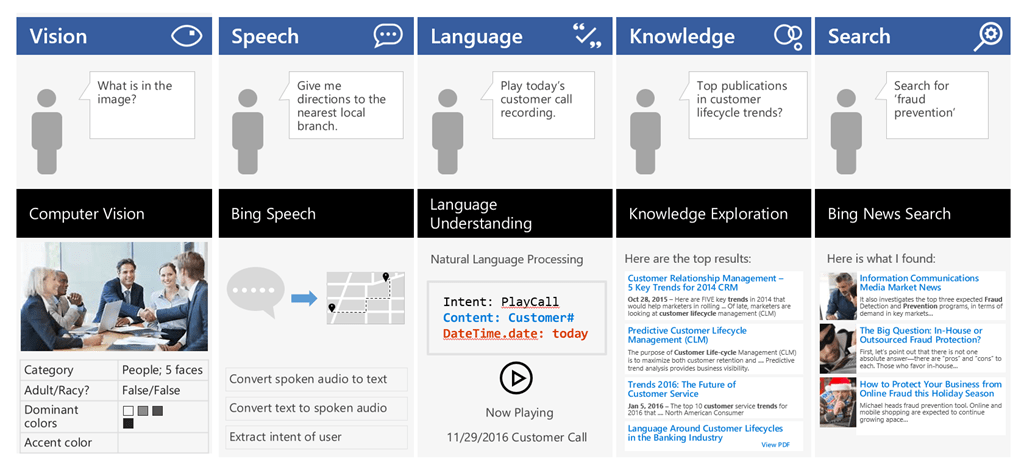
          The following is a set of possible real-world application scenarios:
          image

          The Computer Vision API is able to extract rich information from images to categorize and process visual data and protect your users from unwanted content. Here, the API is able to tell us what the photo contains, indicate the most common colors, and lets us know that the content would not be considered inappropriate for users.

          The Bing Speech API is capable of converting audio to text, understanding intent, and converting text back to speech for natural responsiveness. This case shows us that the user has asked for directions verbally, the intent has been extracted, and a map with directions provided.

          Language Understanding Intelligent Service, known as LUIS, can be trained to understand user language contextually, so your app communicates with people in the way they speak. The example we see here demonstrates Language Understanding’s ability to understand what a person wants, and to find the pieces of information that are relevant to the user’s intent.

          Knowledge Exploration Service adds interactive search over structured data to reduce user effort and increase efficiency. The Knowledge Exploration API example here demonstrates the usefulness of this API for answering questions posed in natural language in an interactive experience.

          Bing Image Search API enables you to add a variety of image search options to your app or website, from trending images to detailed insights. Users can do a simple search, and this API scours the web for thumbnails, full image URLs, publishing website info, image metadata, and more before returning results.

          These APIs are available as stand-alone solutions, or as past of the Cortana Intelligence Suite. These APIs can also be used in conjunction with the Microsoft Bot Framework.

          Use Case: How Uber is Using Driver Selfies to Enhance Security

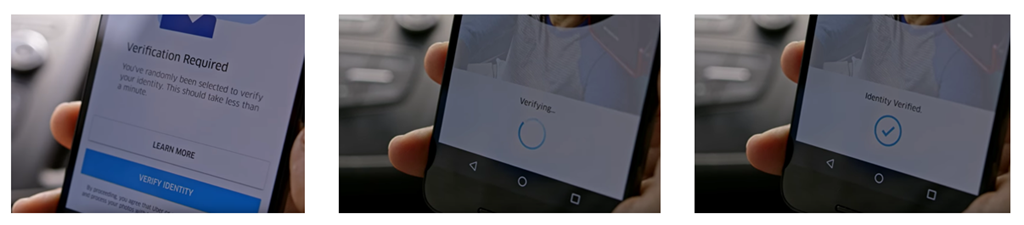
          There is a use case where Uber is using Microsoft Cognitive Services to offer real-time ID check. Using the Face API, drivers are prompted to verify their identity by taking a selfie and then verifying that image with the one they have one file. The Face API is smart enough to recognize if you’re wearing glasses or a hat letting you take action and ask your users to remove and retry the verification process. Uber has made rides safer by giving their clients peace of mind that the drivers have been verified.

          image

          Dig Deeper into AI

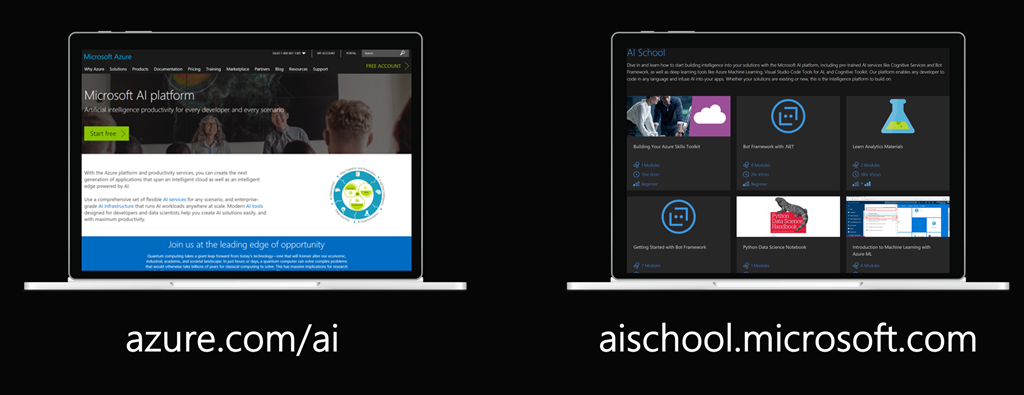
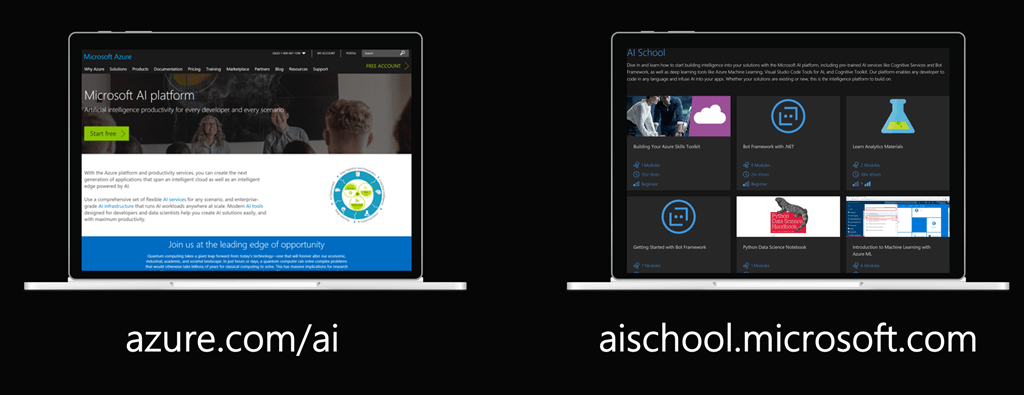
          If you’re interested in learning more about Microsoft AI then be sure to checkout these two websites:

          http://azure.com/ai

          http://aischool.microsoft.com
          62e3621c-efa5-4df8-81fa-53ed5187f9c9

          In my next post I’ll dig deeper into one of these APIs and walk through the code on how easily it is to incorporate into your applications.

          Enjoy!

          References

          Microsoft Cognitive Services homepage

          Microsoft Cognitive Services blog

          Try Microsoft Cognitive Services

          Cognitive Services Labs

          Microsoft updates Cognitive Services terms

          How Uber is using driver selfies to enhance security, powered by Microsoft Cognitive Services

          Development

          Microsoft Adaptive Cards 1.0 is now Available

          image

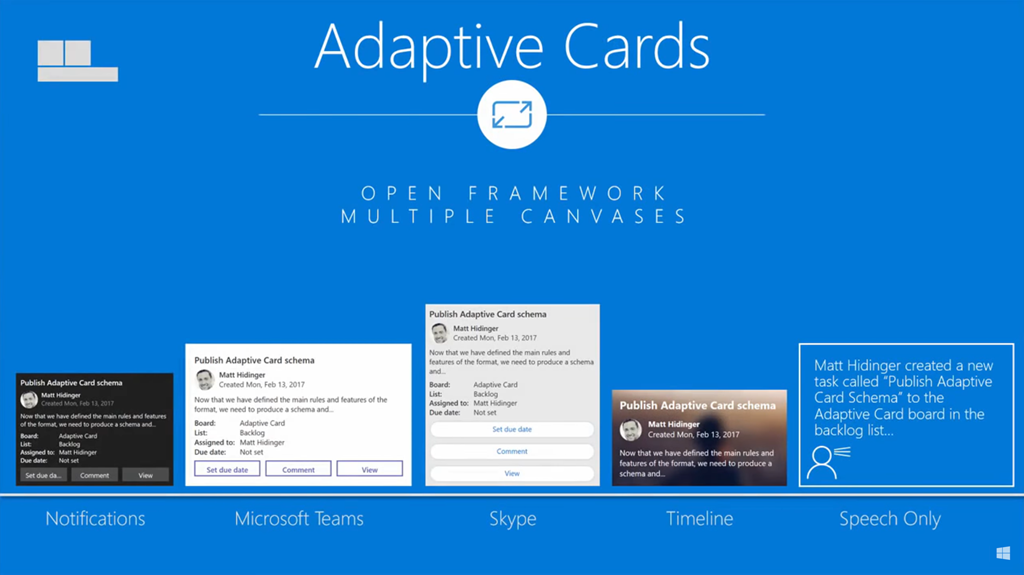
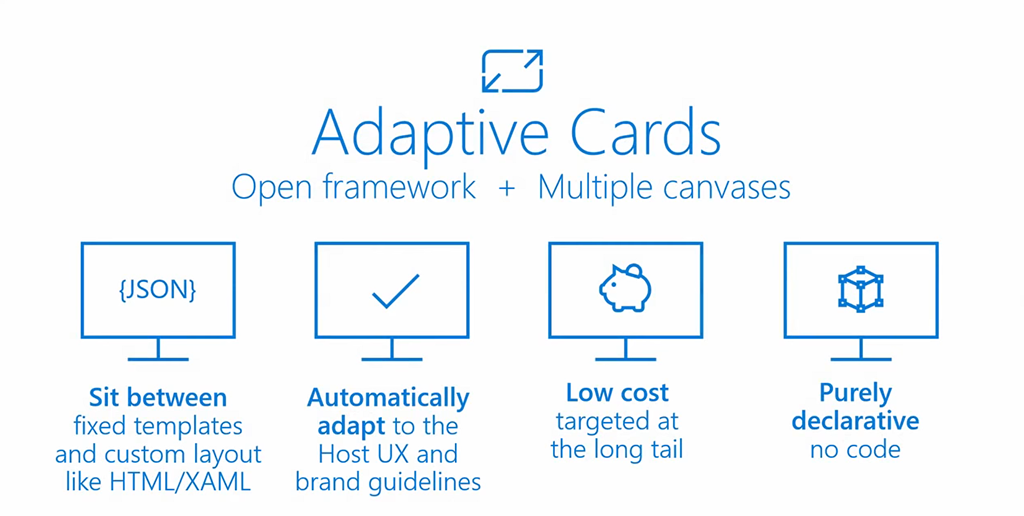
          During the Windows Developer Day 2018 keynote, Kevin Gallo talked about Adaptive Cards and how they can be used to provide a flexible way to present your content and your data.

          Adaptive Cards gives you the tools to create scale across any engagement surface.

          image

          Adaptive Cards was first announced at the Microsoft Build 2017 conference and has now come out of preview and is generally available as a 1.0 product. When Windows 10 Spring Creators Update is released, you will be able to use Adaptive Cards on the Windows Timeline along with other experiences like a bot, Skype, Notifications, Teams and so much more.

          Enjoy!

          References

          Windows Developer Day 2018 Keynote

          http://adaptivecards.io/

          https://github.com/Microsoft/AdaptiveCards/releases/tag/v1.0

          Development

          Visual Studio 2017 (15.6) has new Update Experience

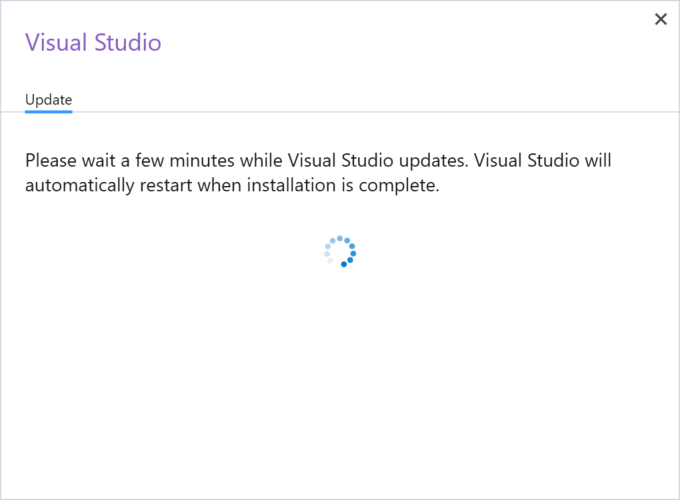
          After updating to Visual Studio 2017 (15.6) earlier today I noticed a minor update is out (15.6.1) and you will notice a new update experience as shown here. The updated dialog shows the current version, the update version and a link for the release notes:

          image

          image

          This update (15.6.1) only takes a couple minutes to apply.

          Enjoy!

          AzureEvents

          Azure Developer Tour is Coming!

          azure developer tour

          The latest in compute, serverless and more – hosted by the Azure Advocates.

          This is a a FREE event where you’ll learn about compute, serverless, storage, big data, artificial intelligence, machine learning and so much more…plus lunch is included (every developer loves a free lunch).

          Cities

          Toronto, On – April 3, 2018

          Vancouver, BC – April 5, 2018

          Washington, D.C. – April 6, 2018

          Los Angeles, CA – April 9, 2018

          Austin, TX – April 10, 2018

          San Francisco, CA – April 12, 2018

          Seattle, WA – April 12, 2018

          In addition there will be University Tours for students and faculty.

          Register at a city near you to learn how to build great cloud apps!

          Enjoy!

          References

          https://www.microsoftevents.com/profile/web/index.cfm?PKwebID=0x752173abcd&wt.mc_id=AID688794_owned_CESocial_Copy

          Windows

          How to Find your Windows 10 Spotlight Lock Screen Images

          Have you ever wondered where you can find the Windows 10 Spotlight Lock Screen images? Well the following post explains How to Find Windows Spotlight Lock Screen Images in Windows 10 and the extract them for using as your Windows 10 desktop background.

          Enjoy!

          References

          https://www.tekrevue.com/tip/find-windows-spotlight-lock-screen-images-windows-10/

          AzureEducation

          Introducing Azure for Students

          Today Microsoft has announced that they will be offering a free $100 annual credit + 25+ free products to eligible students to help encourage them to build cloud apps for Azure and you pay nothing.

          Today’s students are the developers of tomorrow

          For students seeking the skills leading to the most opportunity for cloud based careers, Azure offers students and educators across the world the resources they need.

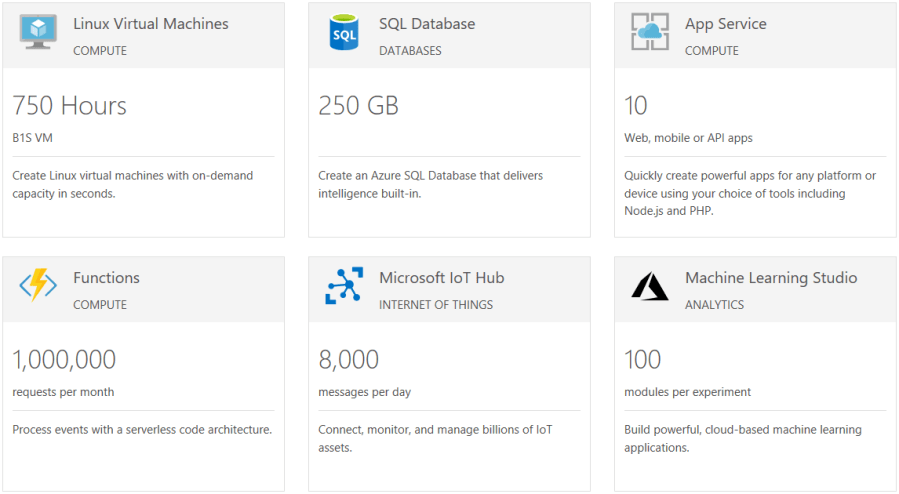
          This offer is different compared to the current free Azure Credits offers in that no credit card is required, students simply verify their student status to take advantage of this offer. In addition to this free credit, students can also get 750 Hours of Linux Virtual Machines, 250GB of SQL Database, 10 mobile or web apps, 1 million Azure Function requests and so much more.

          sshot-390

          Get started today and activate your credits at https://azure.microsoft.com/en-us/free/students/#free-products-section

          Enjoy!

          References

          https://azure.microsoft.com/en-us/free/students/

          https://azure.microsoft.com/en-ca/education/

          Uncategorized

          2018 Cloud Growth Profiled in RightScale State of the Cloud Report — Build Azure

          The last few years, RightScale has been surveying organizations and putting together the annual “State of the Cloud Report”. The survey includes data collected from 997 technical professionals across a broad cross-section of organizations, and focuses on gathering information about their adoption of the Cloud. Some of the metric included in the report show the…

          via 2018 Cloud Growth Profiled in RightScale State of the Cloud Report — Build Azure

          Azure

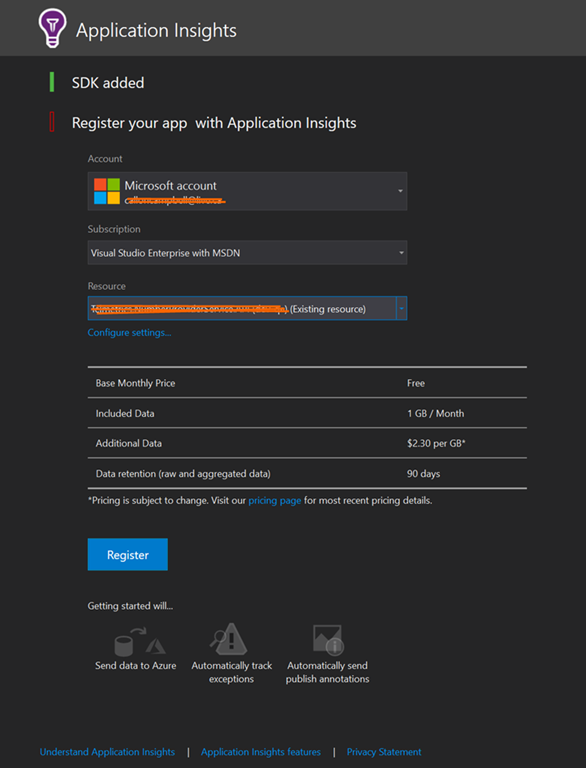
          Introduction to Application Insights

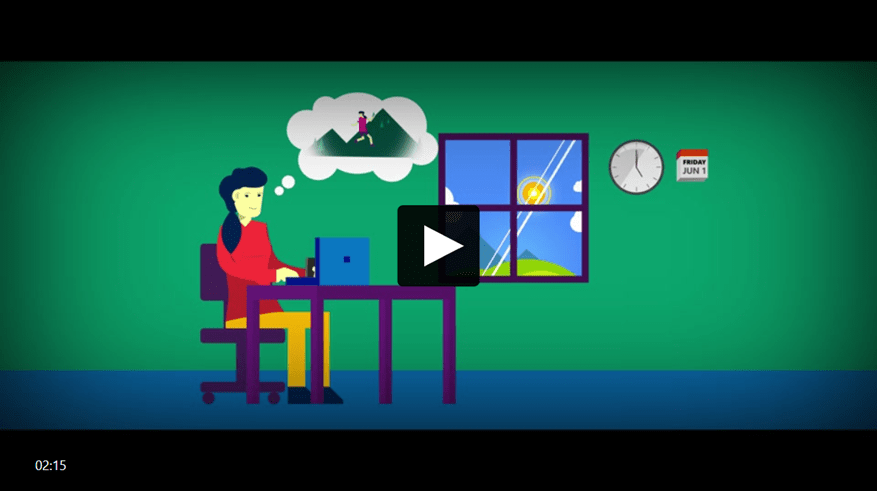
          Application Insights gives you the deep diagnostics and performance information you need to take control of your web apps, and bring sanity back to your life. Get actionable insights through application performance management and instant analytics.

          image

          What can you do with Application Insights ?

          • Detect and diagnose exceptions and application performance issues
          • Get answers to your tough questions, and take your applications to the next level
          • Detect trends in application performance and behavior, identify usage patterns, and get fast answers to probing questions about your website performance
          • Monitor Azure websites, including those hosted in containers, plus websites on-premises and with other cloud providers
          • Seamlessly integrate with your DevOps pipeline using Visual Studio Team Services (VSTS), GitHub, and webhooks
          • Quickly get started from within Visual Studio, or monitor existing applications without redeploying

          Azure Application Insights is included with Visual Studio. You get automatic instrumentation for ASP.NET applications and application telemetry data right out of the box—including usage, exceptions, requests, performance, and logs.

          Pricing Models

          There are two offerings for Application Insights – Basic, and Enterprise.

          With Basic, you pay based on the volume of telemetry your application sends, with a 1 GB free allowance per month. This free data allowance gives you a great way to try out Application Insights as you get started, and it also allows you to use Application Insights for free on an ongoing basis for debugging and low-volume applications.

          In the Enterprise pricing option, you pay for the number of nodes that host your application, and you get a daily allowance of data per node. Additional data beyond the daily allowance is charged per GB. A “node” is a server, or Platform-as-a-Service instance that runs your application, and from which we receive telemetry.

          The Enterprise option also provides unlimited, continuous export of data at no extra charge.

          Summary

          With Application Insights there is no upfront cost, no termination fees, and you only pay for what you need.

          In my next post I’ll show you how easy it is to setup Application Insights with your application.

          Enjoy!

          References

          https://channel9.msdn.com/Blogs/Azure/Application-Insights-Animated-Introduction

          https://azure.microsoft.com/en-us/pricing/details/application-insights/

          http://aka.ms/getapplicationinsights

          Documentation

          AzureInfographicsMobile

          Resources for Mobile apps using Xamarin + Azure

          Earlier this week the Mobile apps using Xamarin + Azure poster was released. It serves as your essential guide to the most relevant cloud services provided by Azure for you as a mobile developer using Xamarin with Visual Studio and Azure.

          You can download your poster here.

          Enjoy!

          References

          https://blogs.msdn.microsoft.com/visualstudio/2018/02/21/your-guide-to-azure-services-for-apps-built-with-xamarin/?utm_source=vs_developer_news&utm_medium=referral

          AzureCloudProductivity

          Build your cloud skills at Microsoft Tech Summit

          image

          Microsoft is hosting another Microsoft Tech Summit this March and April 2018 across additional Canadian cities. 

          The cloud is changing expectations – and transforming the way we live and work. At the Microsoft Tech Summit you will learn how Microsoft’s cloud platform can help you lead your organization through real digital transformation – and shape your future. This one-day event is a free technical learning event focused on Azure and Microsoft 365. Whether you’re developing innovative apps or delivering optimized solutions, Microsoft Tech Summit can help evolve your skills, deepen your expertise, and grow your career.

          The day will kick off with a keynote and following the keynote, you will have a number of sessions to choose from including Cloud Infrastructure, Cloud Apps Innovation, Data + AI or the Modern Workplace. Each session offers a learning opportunity to be hands on with Microsoft technology.

          Whether you’re developing innovative apps or delivering optimized solutions, Microsoft Tech Summit can help you evolve your skills, deepen your expertise, and grow your career.

          • Connect with experts from Microsoft and the community, and learn how to get the most from the cloud. Ask your toughest questions, learn best practices, and share strategies.
          • Choose from a variety of learning opportunities to deepen your cloud expertise, from keynotes and breakout sessions, to hands-on labs.
          • Customize your learning – whether you’re already cloud-savvy or just getting started – Microsoft Tech Summit has something for everyone.
          • Discover the latest trends, tools, and product roadmaps through 4 unique sessions covering a range of topics across multiple tracks.

          I was fortunate to attend the Microsoft Tech Summit in Toronto in December 2017 and it was a great 2-day event – I highly recommend attending if you can.This is a great event to build your cloud skills, connect with experts and get inspired.

          Here is a listing of the Canadian cities and date. Click on the city closet to you to learn more and register:

          CALGARY – 20 MARCH 2018

          VANCOUVER – 5 APRIL 2018

          OTTAWA – 17 APRIL 2018

          MONTREAL – 25 APRIL 2018

          Enjoy!