![Callon Campbell [MVP]'s avatar](https://2.gravatar.com/avatar/82c29cf129567e07ca12d1473a42f0f372048d964211a01e8df4a6b11d340b55?s=44&d=identicon&r=G)
You can now get your Azure invoices sent to your inbox instead of logging in and downloading them every month. Once you’ve opted in, your invoice will be attached to your monthly billing email.
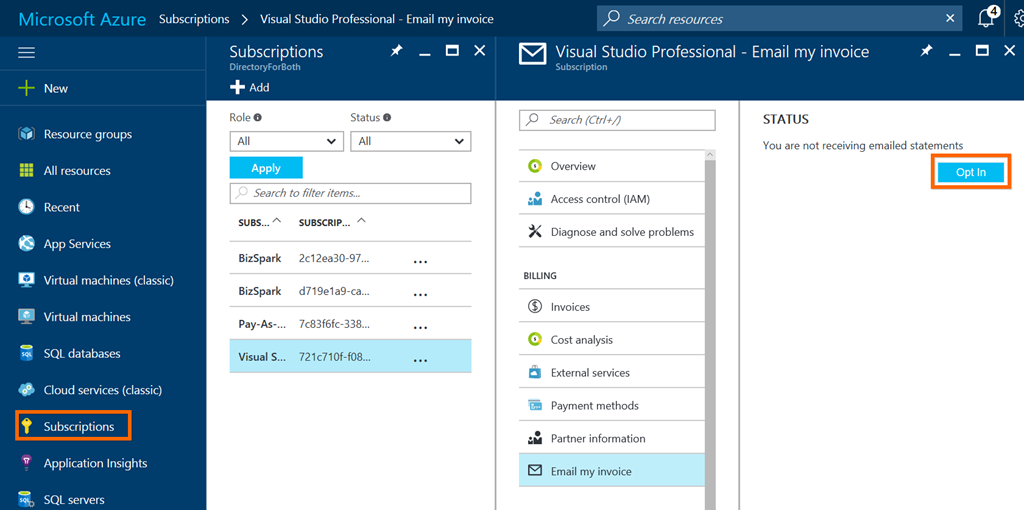
To get started, go to your subscriptions from the Subscriptions blade and select the Send my invoice link and then select Opt In. If you don’t see this link, then your not the account admin.
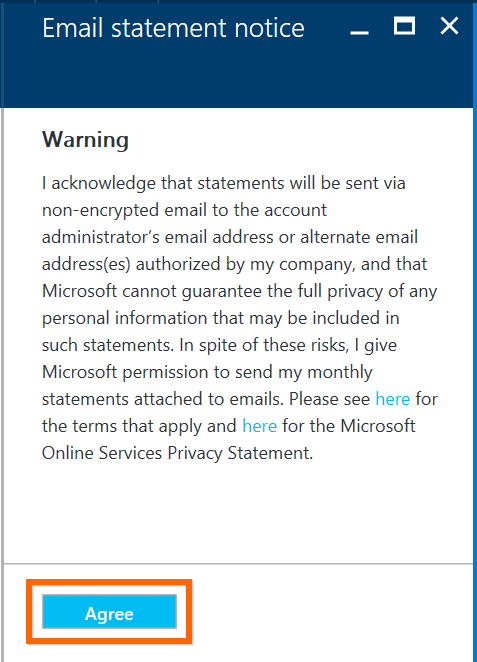
Next you will need to agree to the email statement notice:
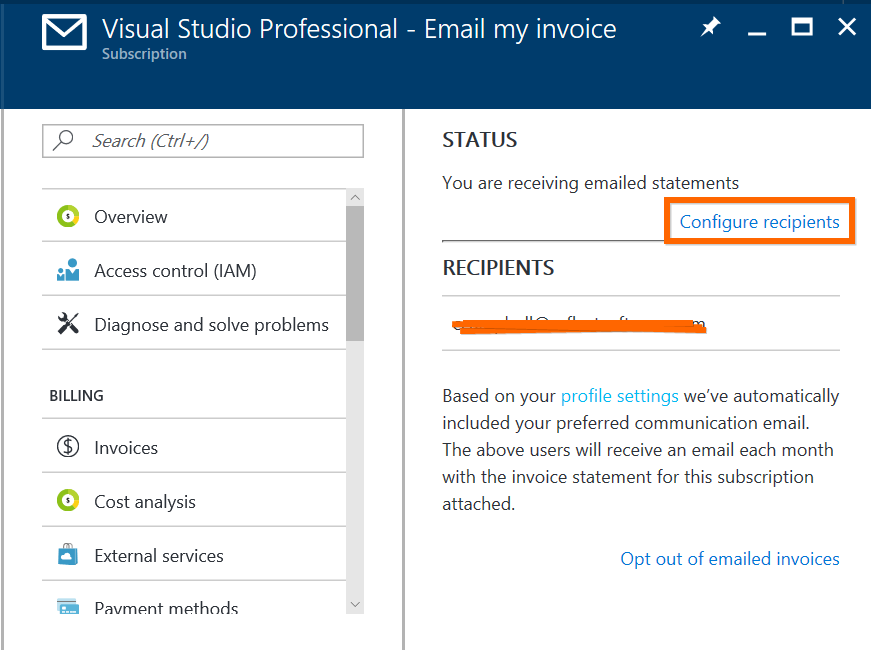
Once you’ve opted in you can configure additional recipients to be added:
That’s it!
Enjoy

 The Flying Maverick