Now in its third year, Azure Spring Clean returns this March to help with all of your Azure Management needs. The event will run from Monday 14th of March through until Friday18th. Each day, there will be articles from the following blend of topics: Azure Monitor Azure Cost Management Azure Policy Azure Security Principles Azure […]
After installing Visual Studio 2022 and working with Azure Functions I noticed that a new storage emulator is being used called Azurite.
Azurite is an open source Azure Storage API compatible server (emulator). Based on Node.js, Azurite provides cross platform experiences for customers wanting to try Azure Storage easily in a local environment. Azurite simulates most of the commands supported by Azure Storage with minimal dependencies.
This seemed to replace the old Azure Storage Emulator you would run previously when doing local development. I quickly came across an issue where the Azurite emulator cannot be started because port 10000 is already in use. This is also applied to ports 10001 and 10002 which it uses. Here are the contents of the Service Dependencies from the Visual Studio 2022 Output pane:
Ensuring Azure Functions Core Tools are up to date. This may take a few minutes...
Azure Functions Core Tools are up to date.
DotNetCore31-FunctionApp: Azurite emulator cannot be started because port 10000 is already in use. Another instance of the Azurite emulator or Azure Storage emulator might be already running on your machine.
DotNetCore31-FunctionApp: We detected that Azure Storage emulator is running on your machine. The Azure Storage emulator is now deprecated. Microsoft recommends that you use the Azurite emulator for local development with Azure Storage. Follow the directions in the link 'https://go.microsoft.com/fwlink/?LinkID=2167087' to install and run Azurite emulator.
Unable to start dependency 'functions.storage1'.
Ensuring Azure Functions Core Tools are up to date. This may take a few minutes...
Azure Functions Core Tools are up to date.
Ensuring Azure Functions Core Tools are up to date. This may take a few minutes...
Azure Functions Core Tools are up to date.
DotNetCore31-FunctionApp: Azurite emulator cannot be started because port 10000 is already in use. Another instance of the Azurite emulator or Azure Storage emulator might be already running on your machine.
DotNetCore31-FunctionApp: We detected that Azure Storage emulator is running on your machine. The Azure Storage emulator is now deprecated. Microsoft recommends that you use the Azurite emulator for local development with Azure Storage. Follow the directions in the link 'https://go.microsoft.com/fwlink/?LinkID=2167087' to install and run Azurite emulator.
Unable to start dependency 'storage1'.
DotNetCore31-FunctionApp: Azurite emulator cannot be started because port 10000 is already in use. Another instance of the Azurite emulator or Azure Storage emulator might be already running on your machine.
DotNetCore31-FunctionApp: We detected that Azure Storage emulator is running on your machine. The Azure Storage emulator is now deprecated. Microsoft recommends that you use the Azurite emulator for local development with Azure Storage. Follow the directions in the link 'https://go.microsoft.com/fwlink/?LinkID=2167087' to install and run Azurite emulator.
Unable to start dependency 'storage1'.
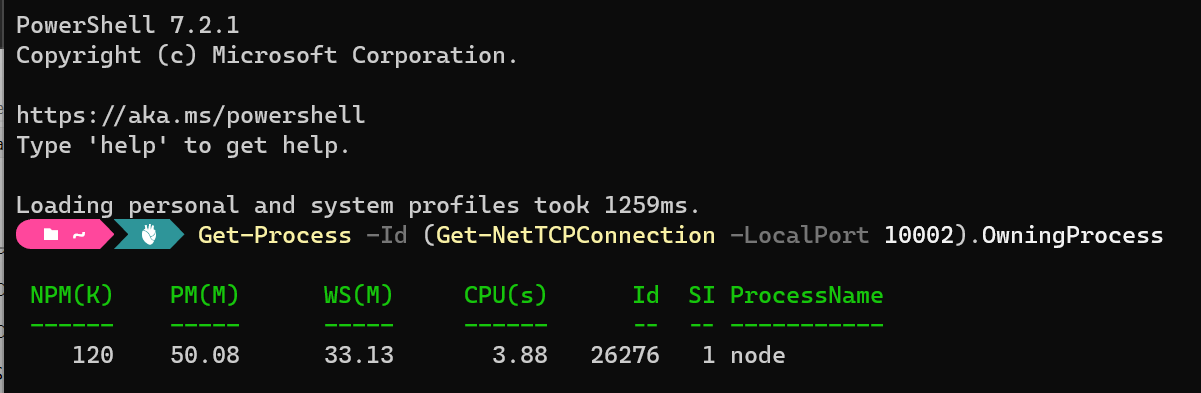
Let’s drop into Windows Terminal and take a look at what process is using that port:
After stopping the Node process and re-running Azurite (I restarted Visual Studio) we can see everything starts up as expected:
Ensuring Azure Functions Core Tools are up to date. This may take a few minutes...
Azure Functions Core Tools are up to date.
DotNetCore31-FunctionApp: azurite.cmd --location "C:\Users\ccampbell\AppData\Local\Temp\Azurite" --debug "C:\Users\ccampbell\AppData\Local\Temp\Azurite\debug.log"
DotNetCore31-FunctionApp: Azurite Blob service is starting at http://127.0.0.1:10000
DotNetCore31-FunctionApp: Azurite Blob service is successfully listening at http://127.0.0.1:10000
DotNetCore31-FunctionApp: Azurite Queue service is starting at http://127.0.0.1:10001
DotNetCore31-FunctionApp: Azurite Queue service is successfully listening at http://127.0.0.1:10001
DotNetCore31-FunctionApp: Azurite Table service is starting at http://127.0.0.1:10002
DotNetCore31-FunctionApp: Azurite Table service is successfully listening at http://127.0.0.1:10002
This was not a great experience on the first day I started to use Visual Studio 2022 with Azure Functions as I had to go off and figure out why the Azure emulator could not be started instead of just working on my application. You can go and change the default ports ft you like which is mentioned in the documentation. For more information on Azurite check out the docs on their GitHub repository.
I hope this helps with anyone new to the Azurite emulator in Visual Studio 2022.
Designing and composing APIs is a very subjective matter and there are many ways to success (and even more to failure). One approach I’ve always liked is the way MuleSoft describes it. They define three layers of APIs: Experience APIs: purpose-built APIs for specific apps, also known as BFFs (Backend for Frontend) Process APIs: domain-driven business…
Ready for another #GlobalAzure event? Global Azure 2022 is happening May 5-7. Please take a look at this blog post for more details and how you can help.
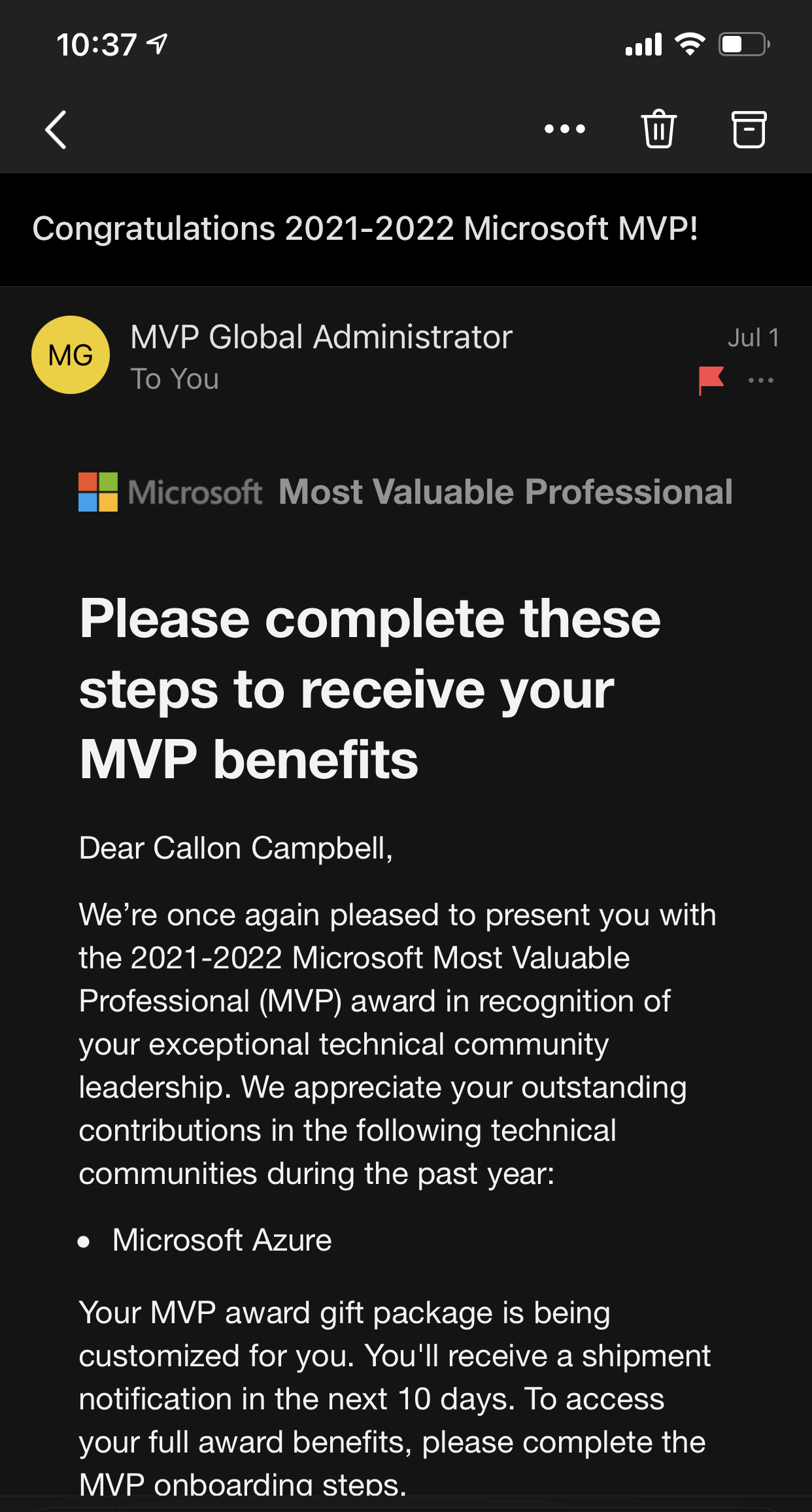
This month I received an exciting email from Microsoft that I was re-awarded for a fourth year now for the 2021 – 2022 Microsoft Most Valuable (MVP) award in Azure. Receiving the Microsoft MVP award is both a humbling and an exciting experience. It means you’re a member of a select group of experts of just over 3,000 MVPs from around the world, but I like to think of it as doing something I’m passionate about with other like minded individuals, having fun and always having something new to learn and share with the community.
The Microsoft MVP Award is an annual award that recognizes exceptional technology community leaders worldwide who actively share their high quality, real world expertise with users and Microsoft. All of us at Microsoft recognize and appreciate Callon’s extraordinary contributions and want to take this opportunity to share our appreciation with you.
The Microsoft Most Valuable Professional (MVP) Award Team Microsoft Corporation
Since becoming a Microsoft MVP, I’ve learned a lot about the community and continued to share my passion, knowledge and experience within the community around Architecture and Development in Azure, Serverless, and DevOps technologies. I also keep a keen eye on what’s happening on the data technologies like Cosmos DB and Azure SQL.
Once again the MVP Summit back in March was virtual due to COVID-19, but with a little luck I’m hoping for an in person experience in 2022. This is an amazing experience to connect with the product teams and MVPs from around the world – even if it was virtually this year.
If you’re interested in learning about the Microsoft MVP program and seeing what it takes to become a Microsoft MVP, or how to get awarded, I encourage you to take a look at the Microsoft MVP website and also the following article on “How to become a Microsoft MVP” where they explain some of the details of the program.
To wrap up this post I would like to congratulate all the other newly awarded, or renewed Microsoft MVP’s all over the world! You truly are an amazing community and I’m truly humbled and honored to be part of this group.
In this episode of Azure Friday, David Fowler and Liangying Wei join Scott Hanselman to show how to build real-time applications with WebSockets and Azure Web PubSub, a fully managed service that supports native and serverless WebSockets.





 The Flying Maverick