
Came across a great post on how to store JSON data in Windows Phone 8.

Introduction to universal Windows apps in Windows 8.1 and Windows Phone 8.1
Came across a great post today on building universal Windows apps in Windows 8.1 and Windows Phone 8.1. They even touched on being able to leverage this common WinRT from WPF (desktop) apps.
This is very neat and I’m looking forward to seeing more information about this from Microsoft with the next version of .NET and Visual Studio.
Enjoy!
Reference
Visual Studio 2013 Update 2 released

The final release of Visual Studio 2013 Update 2 is now available. Update 2 brings dozens of significant new features to Visual Studio developers, including tools for Windows Phone 8.1 and universal Windows apps.
You can find a detailed list of included fixes in the associated Support article.
You can download VS2013.2 now or wait for it to show up in the Visual Studio Notifications.
Enjoy!
References
Visual Studio 2013 Update 2 CTP2, Team Foundation Server 2013 Update 2 RC and TypeScript 1.0 RC
Visual Studio 2013 Update 2 RC: Windows Phone 8.1 Tools, Shared Projects and Universal Windows Apps
JSON Debugger Visualizer in Visual Studio 2013
With the introduction of Update 2 for Visual Studio 2013, there is a new debug visualizer for JSON.
The new debugger string visualizer displays JSON encoded strings in a treeview control and allows meaningful user interaction like search and highlight, copy key value pairs and copy path.
Enjoy!
Reference
Internet Explorer F12 Developer Tools Overview
The following is a great post with a great overview to the Developer Tools found in Internet Explorer 12.
“As web developers we need tools that enable us to inspect and debug HTML, CSS, and JavaScript, as well as monitor page load performance, and UI responsiveness. The IE F12 tools were rebuilt from the ground up, providing features to accomplish all these tasks and more, taking into account tons of feedback from developers. Below are some of these new features seen in version 11 and here is a complete list of what’s new in F12 Tools.
- Clean, modern, user interface.
- New UI Responsiveness, Memory, and Emulation tools.
- DOM Explorer, Console, and familiar tools are updated to enable an easier and faster workflow
In previous versions of the dev tools, there was a menu. Some items have moved to various parts of the IE F12 developer tools. For example, the Browser Mode options that were once part of the menu are now the Emulation tab. Let’s take a quick look at each tool in the toolset and what it can do for you.”

See more at: http://rachelappel.com/internet-explorer-f12-developer-tools-overview#sthash.0TEdP6UP.dpuf
Enjoy
Rehypothecation – What Really Happened to the German Gold Housed in the United States?
Good video on what’s going on with the gold situation.
Enjoy!
Microsoft Store website finally has Surface 2 tablets back in stock in Canada
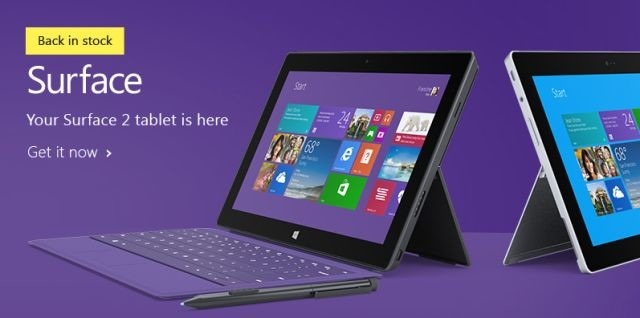
However I still see that the Touch Cover 2 are out of stock (in Canada). 
Image via Microsoft
References
http://www.neowin.net/news/microsoft-store-website-finally-has-surface-2-tablets-back-in-stock
Visual Studio 2013 Update 1 Now Available

Visual Studio 2013 Update 1
Visual Studio 2013 Update 1 is now available to download and is primarily focused on bug fixes.
“This is a targeted update, addressing some key areas of customer feedback since the Visual Studio 2013 release. For example, we heard your feedback about running Visual Studio in environments without IE10+, and have made several improvements to this experience in Update 1.” – S. Somasegar
You can find a detailed list of included fixes in the associated Support article.
You can download VS2013.1 now or wait for it to show up in the Visual Studio Notifications.
References
http://blogs.msdn.com/b/somasegar/archive/2014/01/20/visual-studio-2013-update-1.aspx
http://support.microsoft.com/kb/2911573
CodeRush Shortcut Keys Update
Came across a great post by Mark Miller for an update to the CodeRush shortcut cheat sheet. It’s available in both PDF and PowerPoint.


Enjoy
An Introduction to Windows Azure Service Bus Brokered Messaging
Here is a great post by Mike Wood over on simple talk about Windows Azure Service Bus Brokered Messaging.
Enjoy!
 The Flying Maverick